An image or video on this page did not load. Reload the page; if it is still missing, a file may not have published yet.
Product Updates
Product Updates ·
Four redesigned admin pages, smarter member search and admin previews of inactive profiles
Everything that reached Brilliant Directories websites this week, grouped by area of the software, followed by the default widgets and post type templates that changed.
Four admin pages moved to the new design (Advanced Settings, Manage API Keys, Autosuggest Settings and Text Labels), and old admin pages that were no longer in the menu were retired.
Improved
Redesigned Advanced Settings page
Improved the Advanced Settings page with a new design: settings are grouped into tabs, a search box jumps to the matching tab, each setting has a short help line, and the variable name and default value can be copied or restored. Saving and permissions work as before.
Typing in the search box jumps to the first tab with a match.
Improved
Manage API Keys redesign
Improved Manage API Keys with a new design: a filterable keys table, a permissions panel with one checkbox per endpoint group, and a logs view with a date range and request detail. Date range pickers across the admin now accept a single day or any range, copy buttons copy exactly what they point to, webhook form lists show each form once, and a 301 redirect can point to the homepage by using / as the destination.
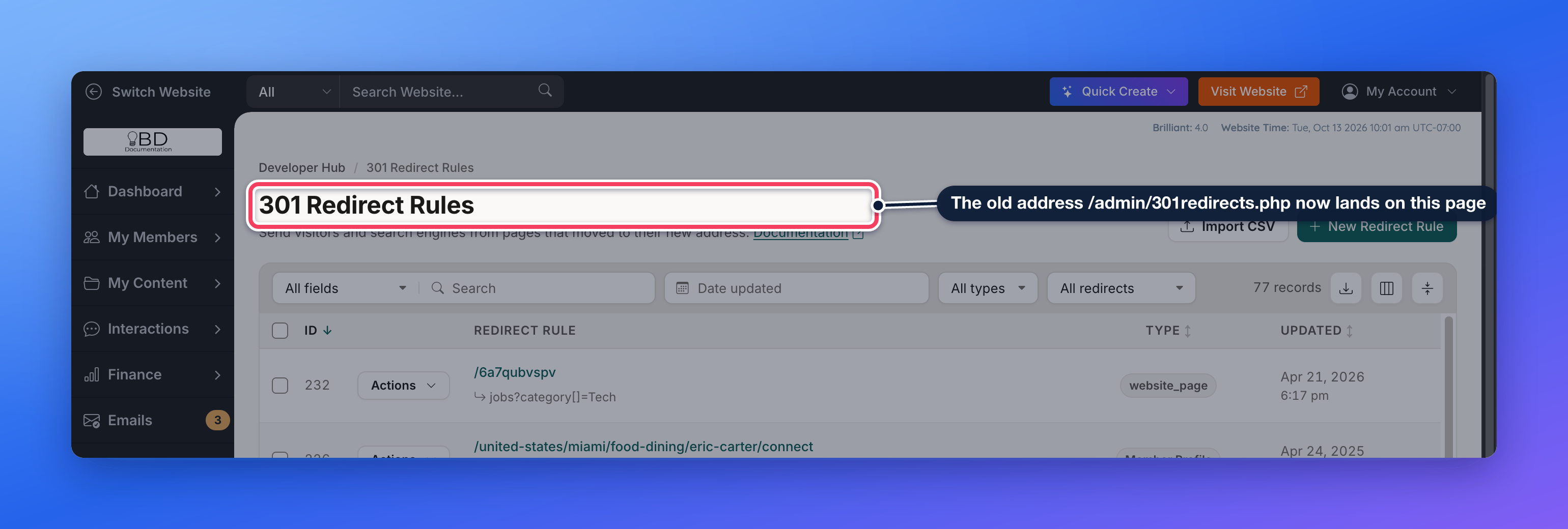
Improved the admin by retiring old pages that were no longer part of the menu but could still be opened by address, including the previous 301 Redirects and Lead Match screens, and cleaning up the related sidebar links.
The old 301 Redirects address now opens the current page.
Improved
Redesigned Autosuggest Settings
Improved Autosuggest Settings with a new design: a table of rules and one panel to add or edit a rule, with post type settings, drag to reorder, validation, and saving without a page reload. Saved data is the same as before.
One panel adds or edits a rule; post types are switches that can be dragged into order.
Improved
Faster, redesigned Text Labels screen
Rebuilt the Text Labels screen with a searchable label list, sorting, a Date edited filter, paging and an edit drawer, and typing in the search box is now much quicker. Autosuggest Settings also gained a Date updated filter.
Admins can preview inactive member profiles without activating them. Fixes cover member search with skipped middle names, Business Data imports and the Import Members property dropdown.
Improved
Admins can preview inactive profiles
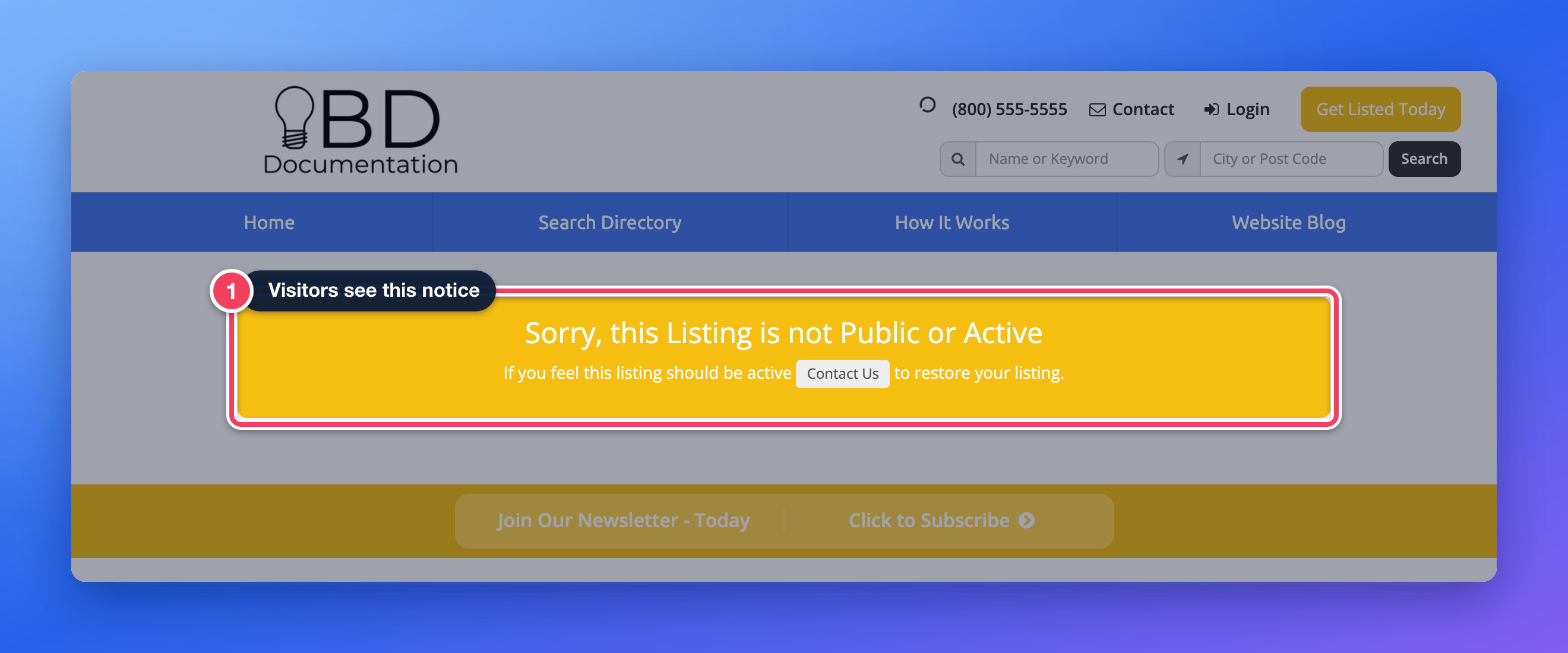
Improved the member profile page so a logged-in admin can view an inactive or non-searchable member's profile with an Admin preview banner, without activating the member first. Visitors and members still see the profile inactive notice.
Where: Member profile pages, viewed as a logged-in admin
Widget: Bootstrap Theme - Member Profile
Signed in as an admin, an inactive profile shows in full under an Admin preview banner.Visitors still see the inactive notice.
Fixed
Import Members property dropdown hidden. Fixed an issue where the Directory Property dropdown on the Import Members data map opened behind the pop-up, making most options unreachable and closing the data map when Create new property or Don't import column was clicked. Learn more: How To Import Members Via CSV File
Business Data import sub-category. Fixed an issue where Business Data imports mapped to a sub-category that has its own sub-categories created members with only the top-level category. Learn more: Instant Business Data
Member search with skipped middle names. Fixed an issue where a member keyword search for a first and last name returned nothing when the member's name had another name in between. Searches of two to five words now also match when each word appears somewhere in the member's name or company. Widgets: Search - Member - Search Query, Search - Reviews - Search Query, Get Matched Search EngineLearn more: Troubleshooting: Member Keyword Search Result Issues
Searching two words of a longer name now finds the member.
Finance
Coupons now apply on their last use, tracking scripts run after Stripe checkout again, and the outdated 14-day note on Upcoming Payments is removed.
Improved
Upcoming Payments note removed
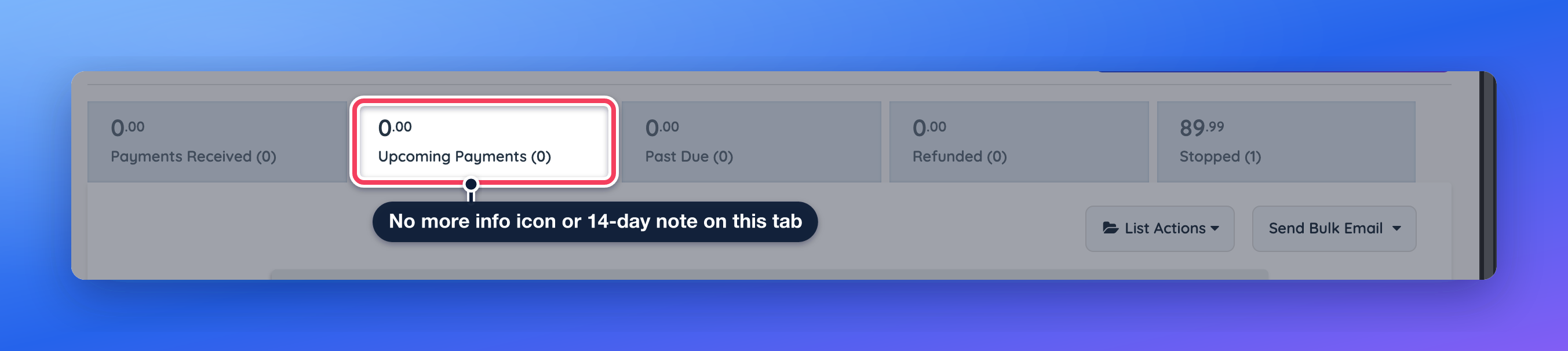
Removed the "scheduled to process within the next 14 days" note and the matching tab tooltip from Upcoming Payments, since invoices can be generated for dates beyond that window.
Where: Finance › Transaction History › Upcoming Payments
Upcoming Payments without the 14-day note.
Fixed
Coupon not applied on its last use. Fixed an issue where a fixed-amount coupon was accepted at checkout but not applied, so the member was charged full price, when it was the coupon's last allowed use.
Tracking scripts on Stripe checkout. Fixed an issue where tracking scripts pasted into the Conversion Tracking Codes, such as a Meta Purchase pixel, did not run on the success message after a Stripe card checkout. Scripts now run in order after the success message appears. Learn more: Embed Conversion Tracking and Affiliate Tracking Codes On Sign Up Pages
Settings
Domain Manager fixes cover changing a domain by only www, subdomain DNS records, automatic email setup and the connection address after a site reset. The Google Maps key test is also more accurate.
Fixed
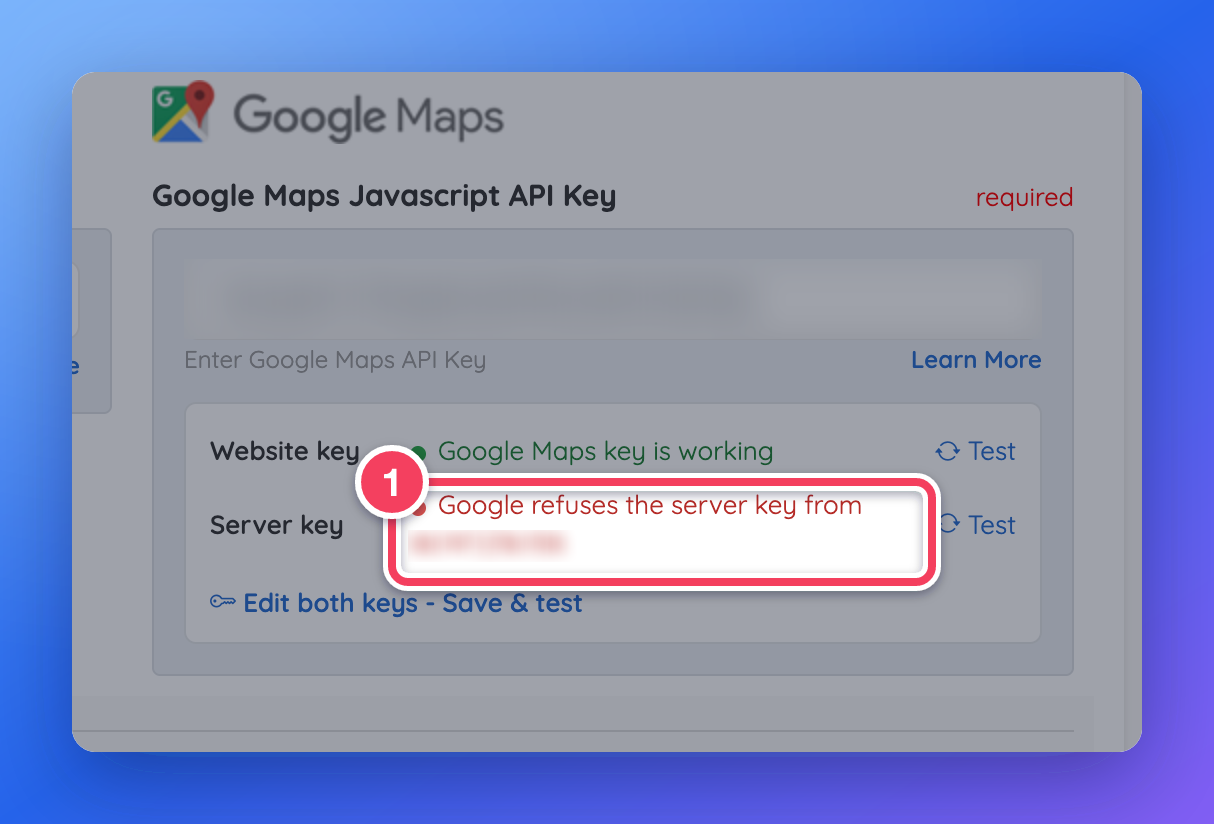
Google Maps server key test accuracy. Fixed the Google Maps server key test reporting that the key was working when Google refused it from the website's own server. The test, the dashboard Google Maps card and the header warning now show which IP address needs to be added to the key. Learn more: Settings › General Settings › Integrations Tab · Generating a New Google Maps API Key
The test names the IP address to add to the key (blurred here).
Site reset kept the template's connection address. Fixed an issue where resetting a website from the starter template could replace its connection address with the template's, so Domain Manager showed the wrong address to point a domain at. Learn more: Reset My Website
Changing a domain by only www. Fixed an issue where changing a website's domain so that only the www prefix differed could take the website offline. These changes now only update the website's stored address. Learn more: Settings › Domain Manager
Automatic email setup and SPF limit. Fixed an issue where automatic sender authentication setup could publish an SPF record over the ten-lookup limit, or overwrite other DNS records. Unsafe SPF changes are now skipped and explained. Learn more: Settings › Domain Manager › Emails and Sender Authentication
DNS records for subdomains. Fixed an issue where the DNS records editor refused record names with several parts, such as email.reply or _dmarc.reply, with a "name is not valid" message. These records can now be added for subdomains, which email services need for setup. Available for domains whose nameservers point to Brilliant Directories. Learn more: Settings › Domain Manager › DNS Records
Embedded form tools blocked by security headers. Fixed an issue where websites with the HTTP security headers setting turned on blocked the background scripts some embedded form tools use, such as their spam checks. The headers now allow them. Widget: Bootstrap Theme - Function - CSP HeadersLearn more: How to Enable CSP Headers
Developer Hub
Fixes for 301 redirects with special characters, price updates for digital products through the API, and Post Details SEO templates in the API.
Fixed
Redirects with special characters. Fixed an issue where 301 redirects whose source URL contained an ampersand, an apostrophe, parentheses or a tilde were saved but never took effect. Learn more: 301 Redirects
API price updates for digital products. Fixed an issue where changing a digital product's price through the API updated the displayed price, but checkout kept charging the old price. Learn more: Sell Digital Products & Services
Post Details SEO templates in the API. Fixed an issue where the API refused to create or update SEO templates for Post Details pages. These templates can now be managed through the API.
My Content
Fixes for the Coming Soon page, which no longer loops on save or reports saves wrongly, and for the order of social sharing images in SEO templates.
Coming Soon page saves reported wrongly. Fixed an issue where the Web Page editor showed "Changes Saved!" when the save had actually been refused. Coming Soon, Unsubscribed and Password Retrieval pages no longer get refused over a duplicate empty URL, and refused saves now show the error. Learn more: Content › Web Page Builder
Social sharing image order. Fixed an issue where an SEO template's Social Media Shared Image replaced the image of every post, profile and group when shared. A member's own social image is used first, and the template image is now used only when nothing more specific exists. Photo groups with no photos also fall back to the template image or site default instead of a broken one. Widget: Bootstrap Theme - HEADLearn more: How To Edit The SEO For Social Media Sharing for SEO Templates
Front End & Design
Fixes for the home page events section showing old dates and for member login when the browser holds many cookies.
Fixed
Home page events showing old dates. Fixed an issue where the home page events section showed a repeating event's first date, instead of its next date, when the event had no End Date. Widget: Bootstrap Theme - Display - Recent EventsLearn more: How to Enable the Recurring Events
Member login with many cookies. Fixed an issue where a member with a large number of cookies in their browser saw a server busy error when logging in with the correct password. The login button now also re-enables after a failed request so members can try again without reloading. Widget: Bootstrap Theme - Function - Form
Interactions
Fixes for lead forms placed outside a member profile, such as Get Matched.
Fixed
Lead forms not on a member profile. Fixed an issue where lead forms placed outside a member profile, such as Get Matched, could fail to save the lead and show no confirmation on some websites. Widget: Bootstrap Theme - Function - Save FormLearn more: How to Match a Lead › Get Matched Form
Toolbox
A fix for Form Manager option lists that were sometimes not saved.
Fixed
Form Manager option lists saving. Fixed an issue where checkbox and dropdown options were sometimes not saved in the Form Manager, including options that were pasted in or saved right after typing. Also stopped a blank Add Option row from being saved as an empty choice on the form. Learn more: Toolbox › Form Manager
Widgets and templates updated
These default widgets and post type templates changed this week. A website that has customized one of them keeps its own version and does not receive the update. To pick up the change, copy it into the customized version, or remove the customization to go back to the updated default.
Repeating events without an End Date now show their next date instead of their first date.
Bootstrap Theme - Function - CSP Headers
Adds a worker-src directive to the Content Security Policy so blob: workers are allowed.
Bootstrap Theme - Function - Form
Re-enables the submit button after a failed request and shows the connection error message instead of a reCAPTCHA error.
Bootstrap Theme - Function - Save Form
Only looks up the contacted member when the form actually carries a member token, so forms not on a profile save normally.
Bootstrap Theme - HEAD
Changes the order of the og:image choices so the template's Social Media Shared Image is a fallback, and skips photo groups that have no photo.
Bootstrap Theme - Member Profile
Shows the full profile with an Admin preview banner to a verified admin when the member is inactive or not searchable.
Bootstrap Theme - Success Page - Free Member Sign Up
Encodes the redirect address used by the Continue link so it always stays on the website. Keeps the Continue link after a free sign-up on the website and encodes the destination in the link.
Get Matched Search Engine
Get Matched name searches use the same per-word matching, and the typed text is now escaped before it is used in the search.
Search - Member - Search Query
Member keyword searches of two to five words also match when every word appears in the member's name or company, in any order.
Search - Reviews - Search Query
Review searches by member name use the same per-word matching, and the typed text is now escaped before it is used in the search.