An image or video on this page did not load. Reload the page; if it is still missing, a file may not have published yet.
Product Updates
Product Updates ·
A new admin look, a clearer Domain Manager, and 22 fixes
Everything that reached Brilliant Directories websites this week, grouped by area of the software, followed by the default widgets and post type templates that changed.
Additional CSS is checked for errors while typing, Google Maps keys can be tested, and the Domain Manager adds renewal dates, clearer email checks and passwordless webmail.
New
Additional CSS checks for errors while typing
Added live error checking to the Additional CSS editor. A missing closing brace or an unclosed comment is marked on its line and named under the editor, and saving waits until it is fixed. Smaller style issues show as warnings only.
Where: Settings › Design Settings › Custom CSS / HEAD
A missing closing brace is flagged and named before the CSS can be saved.
New
Google Maps key tester
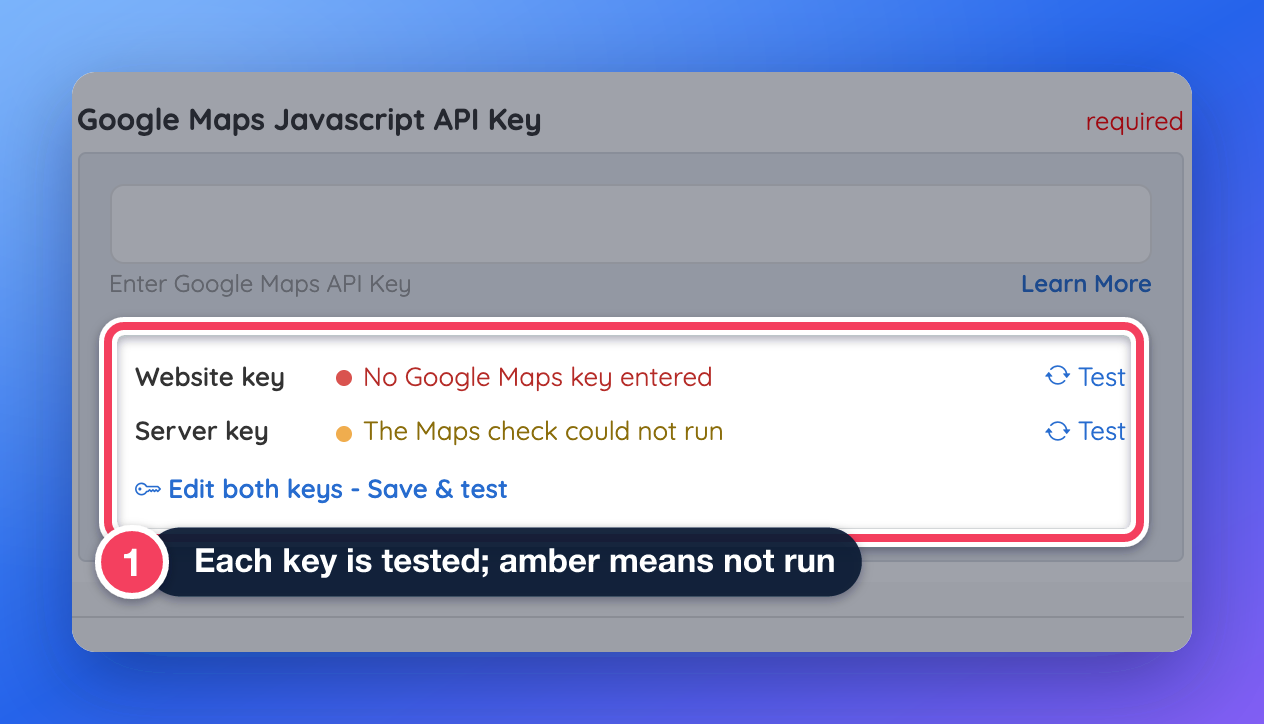
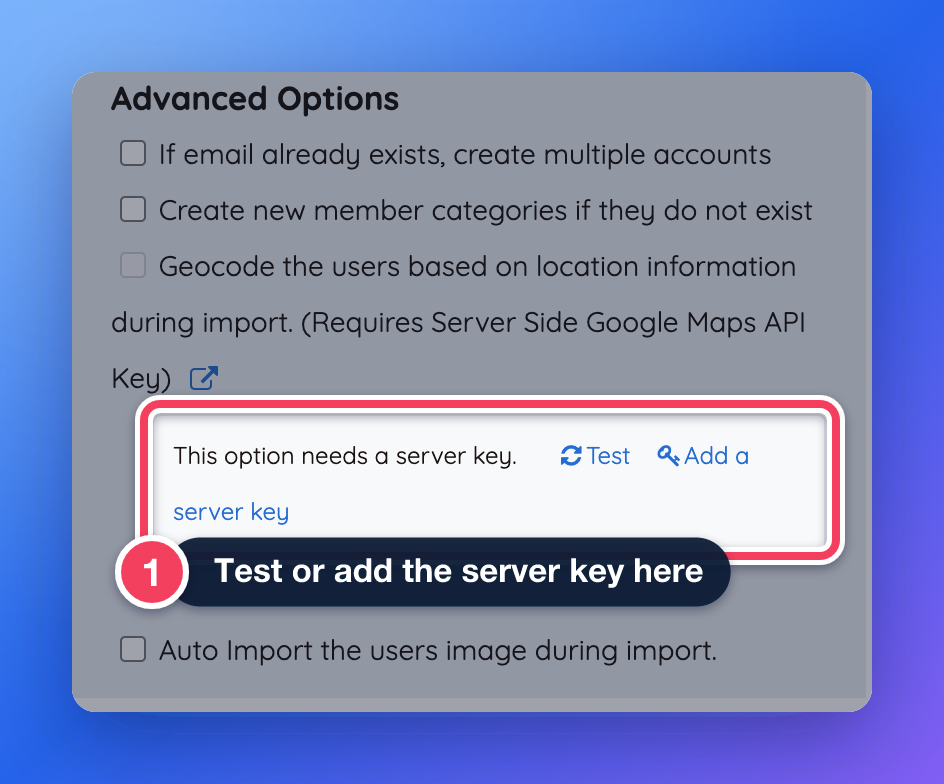
Added a tester that checks each Google Maps key the same way the website uses it, so the dashboard shows a clear working or error status. The Integrations tab now tests the website key and the server key when they are typed or saved, and Import Members offers a test when geocoding needs a server key.
Where: Settings › General Settings › Integrations , the admin dashboard, and My Members › Import Members
Each key is tested on its own.Import Members offers to test or add the server key.
Improved
Domain Manager: renewal dates and clearer email checks
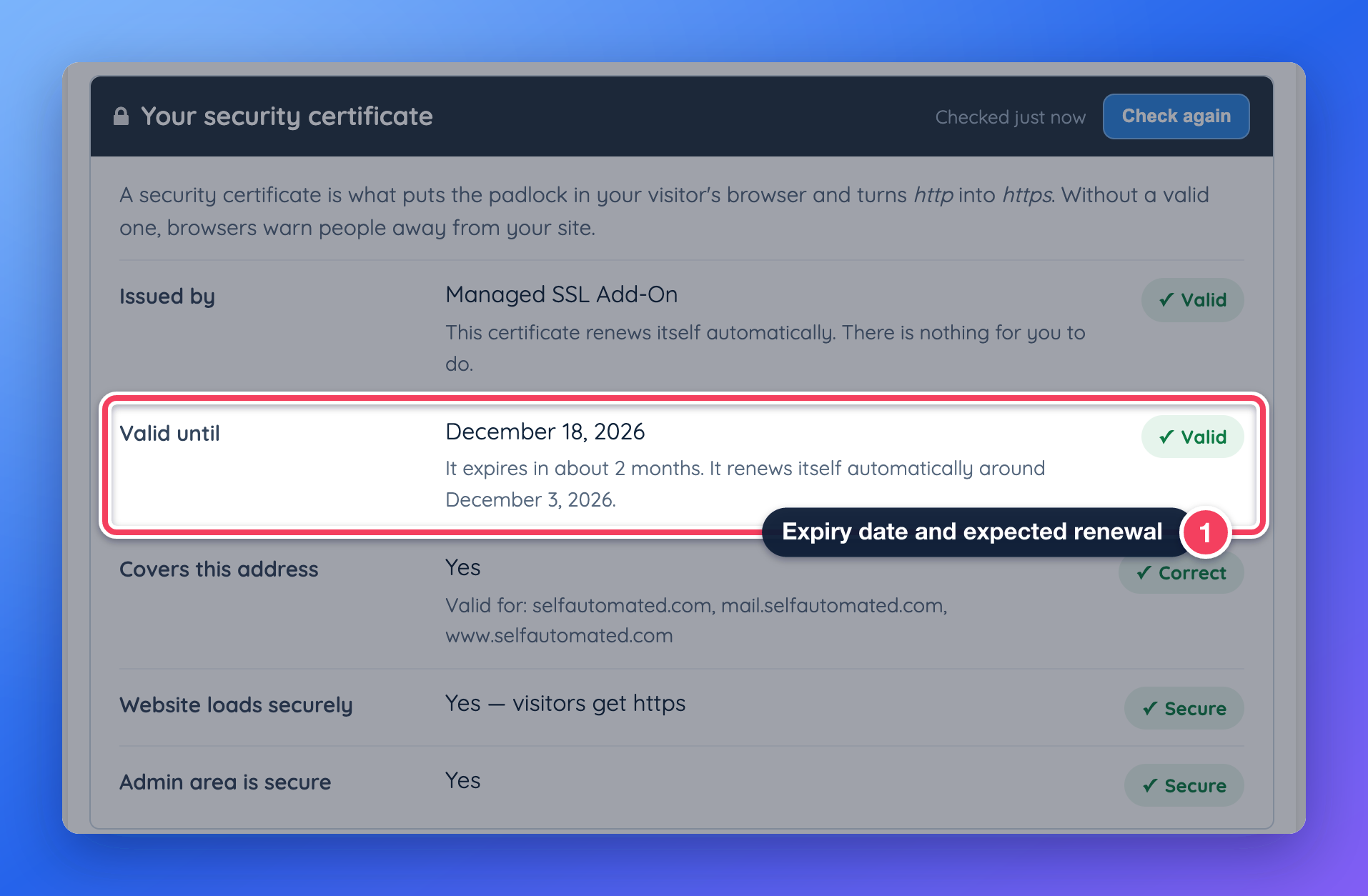
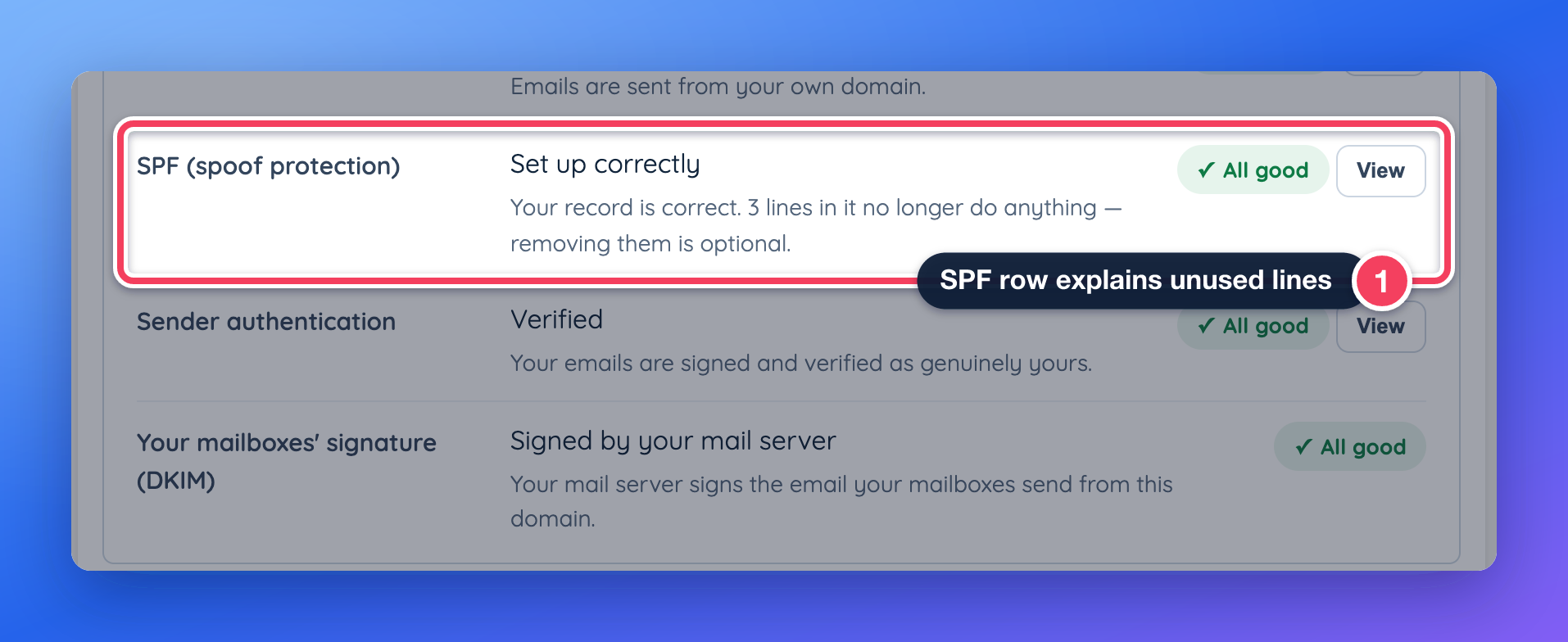
Improved the Domain Manager. The SSL tab now shows when a managed certificate renews, the Emails tab flags repeated lines in an SPF record, and choosing the address the website already uses is stopped with a clear message.
Change my domain name opens a four-step wizard.The expiry date and the expected renewal.The SPF row explains lines that no longer do anything.
Improved
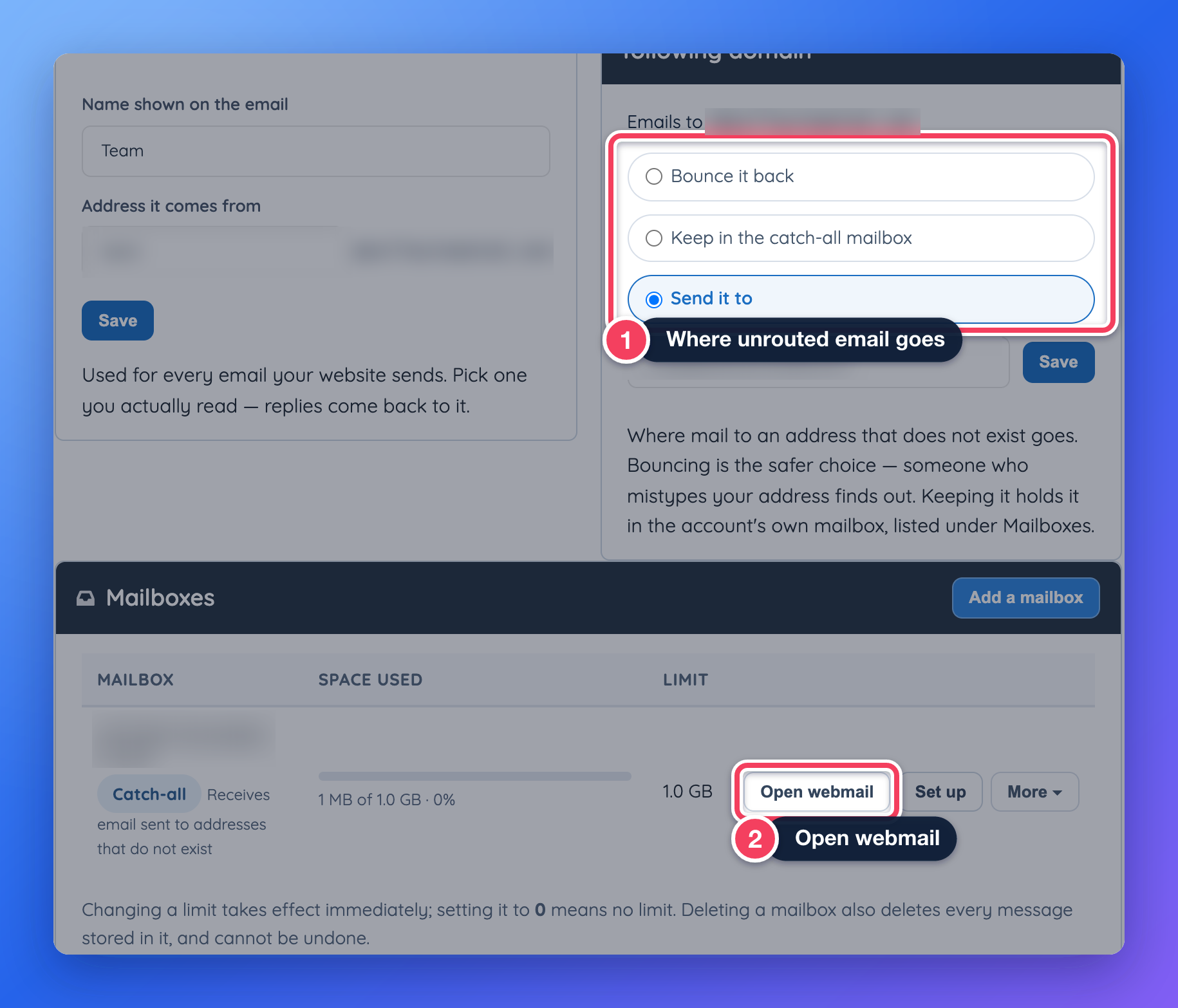
Open webmail without a password
Improved Open Webmail in the Domain Manager so it signs admins straight into the mailbox without asking for its password. The catch-all mailbox is listed with webmail access too, and Email Accounts in the side menu now opens the Domain Manager’s mailbox list. Requires an admin role with access to email accounts.
Backslashes in Design Settings code. Fixed an issue that removed backslashes from Additional CSS, HEAD code and Footer code on the live website and when the field was edited. The code now appears exactly as entered. Websites that typed each backslash twice to work around this issue should change them back to a single backslash.
Domain Manager notices. Fixed several Domain Manager messages. The notice about removing www now shows in the connection steps, the summary no longer says everything looks good while an email item needs attention, and messages now point to the right tab. Learn more: Settings › Domain Manager
Secure connection after removing the SSL add-on. Fixed an issue that could leave a website without a working secure connection after the SSL add-on was removed. A basic certificate is now installed in its place. Learn more: Settings › Domain Manager › SSL
Domain check for .co.uk and similar domains. Fixed an issue that showed “Not Verified” for domains ending in .co.uk, .com.au and similar on the Enhanced Server move screen, even when the domain pointed to Brilliant Directories. Learn more: Moving Your Website to a New Server (Site Transfer Wizard)
Login times in Show Active Sessions. Fixed an issue that showed login dates in Pacific time. Login and last active times now use the website’s time zone and name it. Learn more: Admin Sessions
Support tickets for emails with a plus sign. Fixed an issue that showed no tickets in the Support Center for admins whose login email contains a plus sign. Learn more: My Support Tickets
The new admin look
A refreshed side menu and header, plus rebuilt 301 Redirect Rules, Manage Webhooks and Image Settings pages and a Developer Hub shown as tool cards.
Improved
A refreshed admin side menu and header
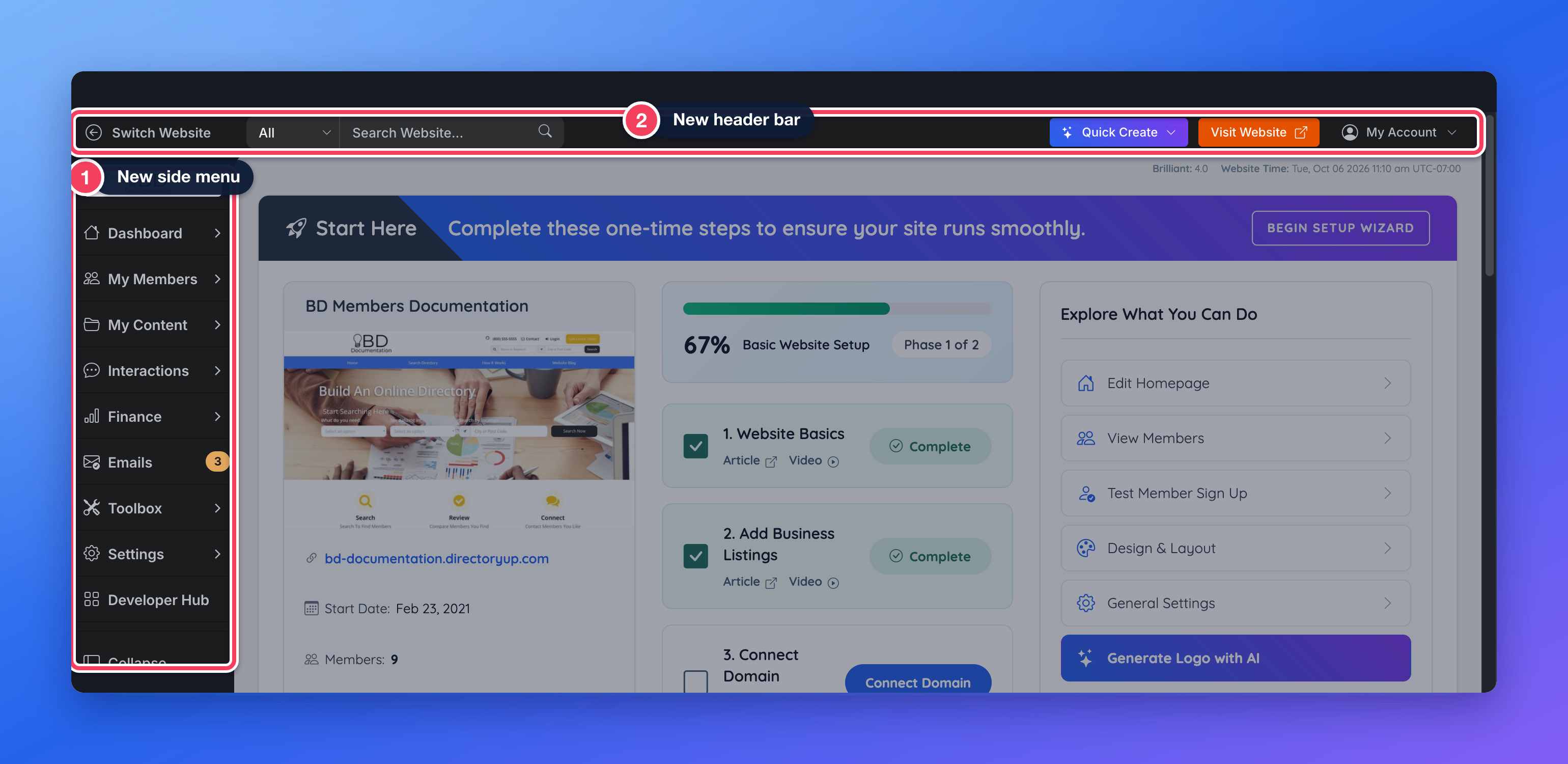
Updated the admin area with a refreshed side menu and header, including universal search, the Quick Create menu and the website switcher. Pop-ups, date pickers and dropdowns share the new style. Every menu link and permission is unchanged, and pages that have not been redesigned yet keep their current look.
The new side menu and header.Quick Create starts a new member, newsletter, invoice, post, page or coupon from anywhere.
Improved
301 Redirect Rules, rebuilt
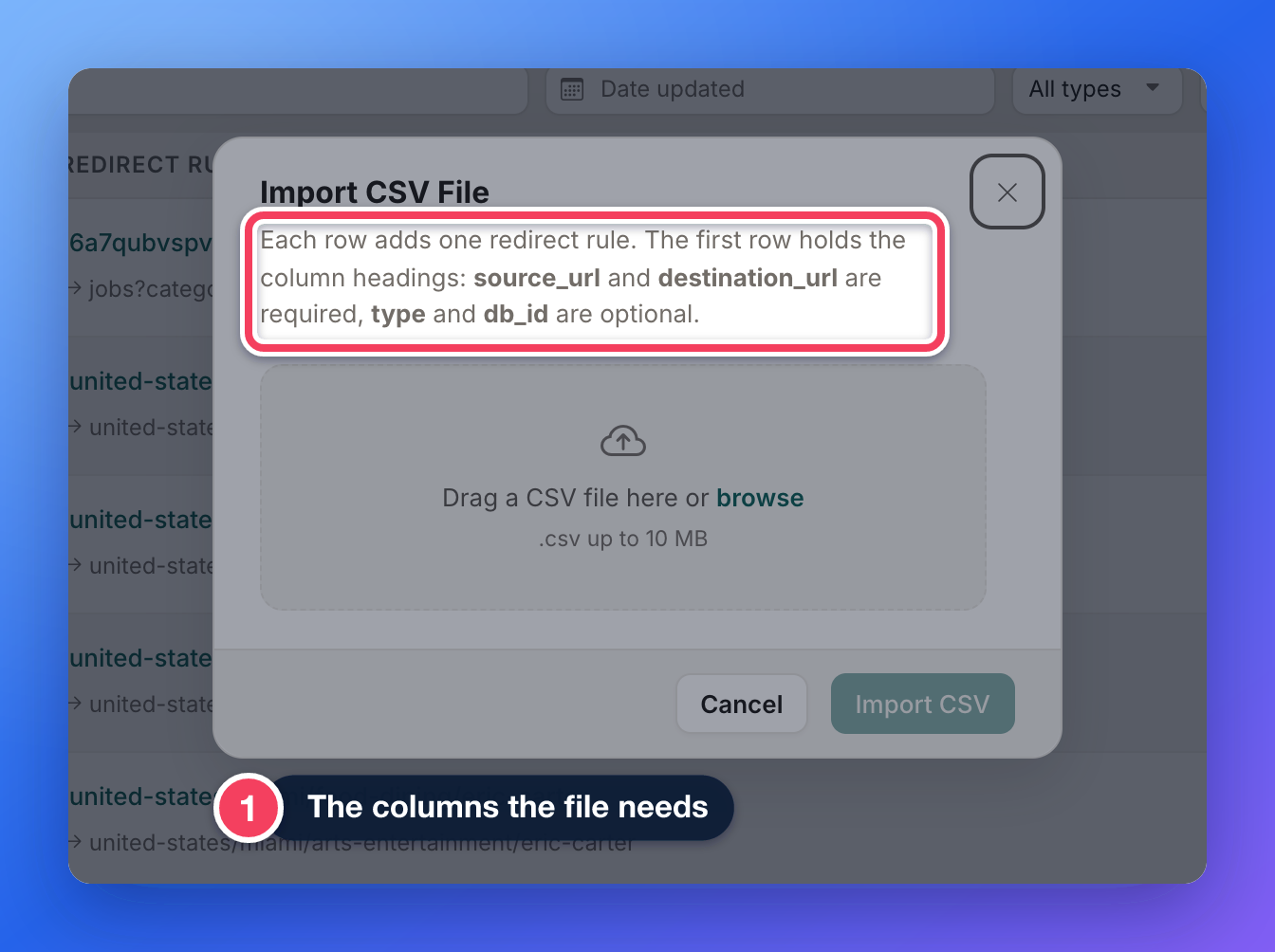
Redesigned the 301 Redirect Rules page. Redirects can now be searched, filtered and sorted, deleted in bulk, imported and exported as a CSV file with a report for each row, and checked for broken redirects. New redirects open in a side panel with examples.
Search, filter and add redirects from one page.Import redirects from a CSV file.
Improved
Manage Webhooks and Image Settings, redesigned
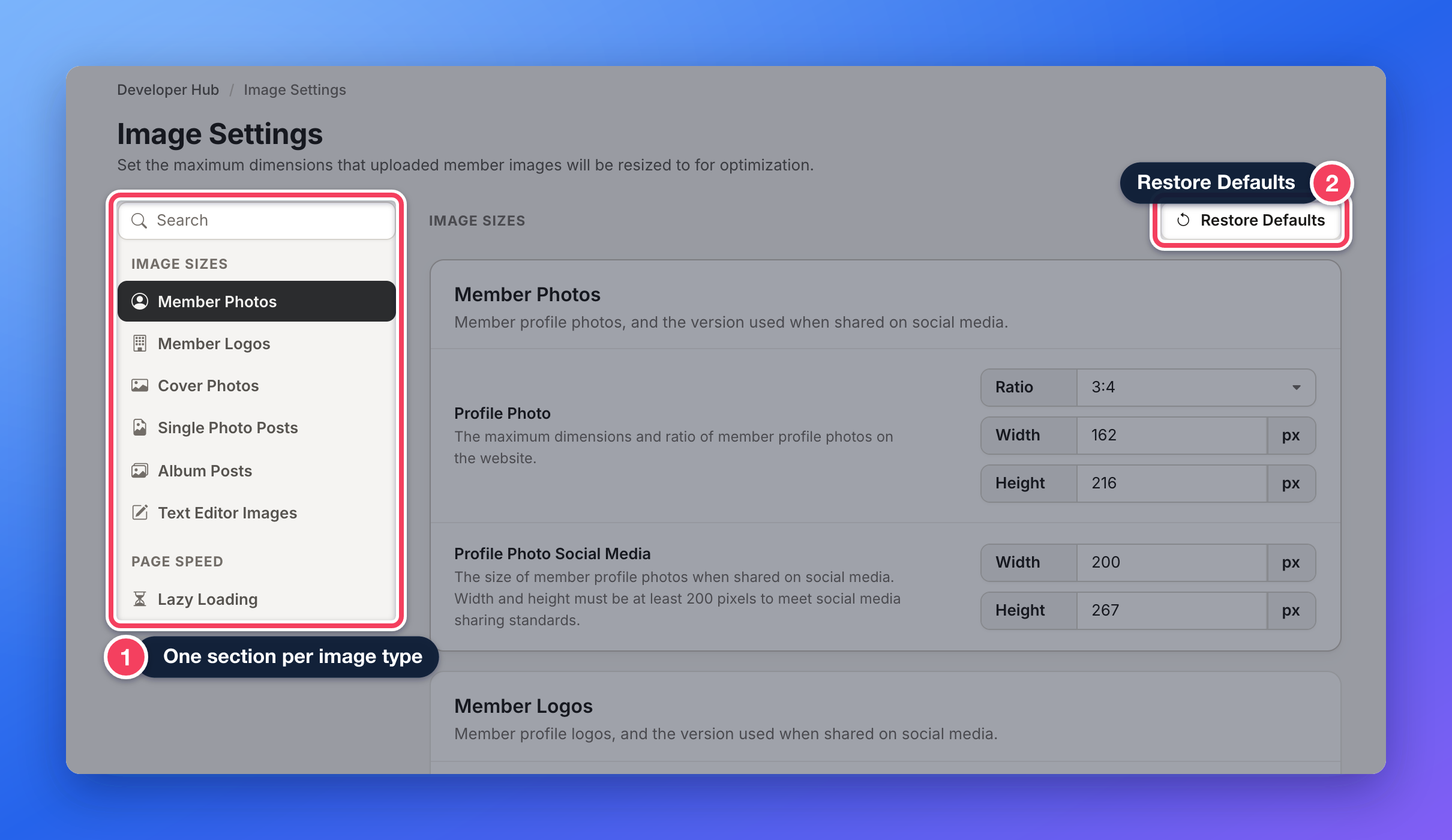
Updated Manage Webhooks with webhooks grouped in a side menu under plain names, a New Webhook button that opens a side panel, errors shown under each field, and a confirmation after saving. Updated Image Settings with a side menu for each image type, a search box, one save bar, and a way to restore each group to its defaults.
New Webhook opens a side panel.Image Settings groups each image type in a side menu.
Improved
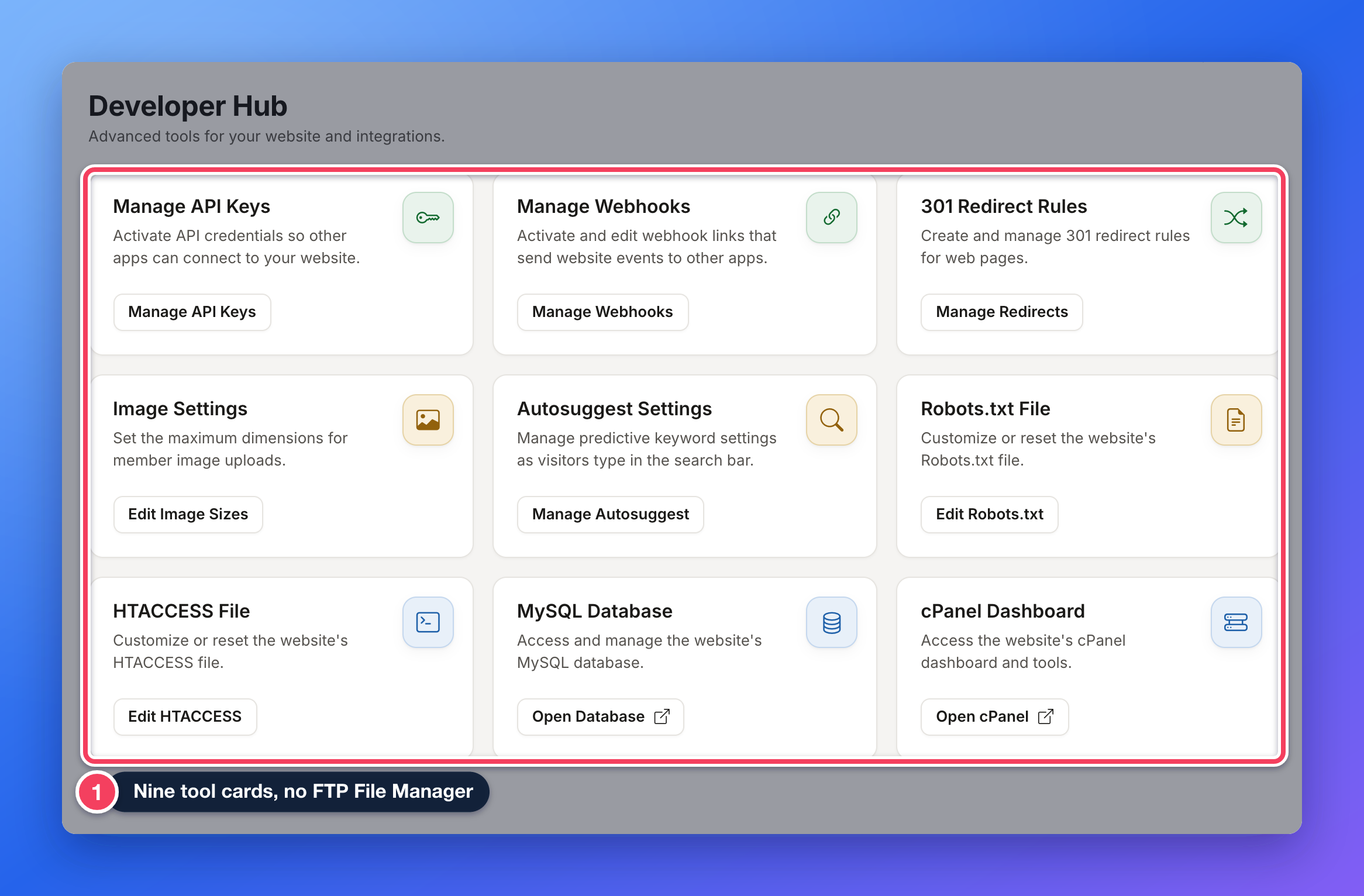
Developer Hub as tool cards
Updated the Developer Hub to show its tools as cards, each with a short description. The FTP File Manager card was removed; files remain available through the cPanel Dashboard card.
Where: Developer Hub
Every tool is one card.
Developer Hub
The API can return readable field labels, the code editor across the admin is updated, and single-record API requests now report correct pagination.
New
Readable field labels from the API
Added an optional include_labels setting to the API’s Get User request. When it is on, the response includes the readable labels for dropdown, checkbox and radio fields, the same way webhooks already send them. Responses without it are unchanged.
Updated the code editor used across the admin to its latest version. Editors for widgets, post type templates, Design Settings code, SEO templates and robots.txt now have working autocomplete.
Fixed
301 redirects with a space. Fixed an issue that stopped a 301 redirect from working when its Source URL contained a space. Learn more: 301 Redirects
Pagination for single records. Fixed an issue that returned pagination totals for the whole table when the API was asked for one record. It now reports one record on one page, and the last page of a list no longer points to a next page. Learn more: API Overview and Testing the API From Admin Area
My Members
The member export can include each member's credit balance, and custom links on member profiles can be tracked in Profile Analytics. Fixes cover county names in the city field and prices on free plans.
New
Member credit balance in the member export
Added each member’s current credit balance as a field that can be selected when exporting members, on websites that use member credits.
Where: My Members › Search Members › Export List of Current Member Results
Search the export fields for “credit” to add the balance column.
New
Click tracking for custom links on member profiles
Added click tracking for custom links on member profiles, including links to other websites. A link given a tracking name is counted in Profile Analytics under that name. Requires the Member Profile Analytics add-on.
Where: member profile pages, and Profile Analytics in the admin and the member dashboard
County names in the city field. Fixed an issue that saved a county name, such as Middlesex County, as the city when it was chosen as a service area or searched. Widgets: Bootstrap Theme - Account - Select Locations, Bootstrap Theme - Function - Google Location SuggestLearn more: All About Service areas / Multi Location Add-on
Prices on free membership plans. Fixed an issue that kept a membership plan’s prices after the plan was switched to Free, and an issue that saved the old price when a new one was pasted or autofilled. Free plans now save with zero prices. Learn more: How to Create New Membership Plans - Add Free or Paid Membership Plans
Front End & Design
Member search results load faster. Fixes cover structured data dates, search suggestions sorted by last name, and bot protection that blocked the image service and test tools.
Improved
Faster member search results
Improved the speed of member search results, most noticeably on websites with large member lists. The results themselves are unchanged.
Widget: Search - Member - Search Query
Fixed
Page CSS lost after an error in the site-wide CSS. Fixed an issue that caused a page’s own CSS to be ignored when the site-wide Custom CSS contained an error such as an unclosed comment or a missing brace. Each source of CSS is now added to the page separately. Widget: Bootstrap Theme FrameworkLearn more: How to Override and Edit Default CSS stylesheets
Dates in structured data. Fixed an issue that set the “date modified” in the hidden structured data search engines read to the first day of the current month. Pages, member profiles, posts and reviews now use their real last-saved date, and the “last reviewed” date was removed. Widgets: Bootstrap Theme - Global Website - Schema Markup, Bootstrap Theme - Detail Page - Schema Markup - Community Article, Bootstrap Theme - Detail Page - Schema Markup - Event Post Type, Bootstrap Theme - Detail Page - Schema Markup - Jobs Post Type, Bootstrap Theme - Detail Page - Schema Markup - Product Post Type, Bootstrap Theme - Detail Page - Schema Markup - Property Listing Post Type, Bootstrap Theme - Detail Page - Schema Markup - Video Post Type, Bootstrap Theme - Detail Page - Schema Markup - Website Blog Article, Bootstrap Theme - Member Profile - Contact Page, Bootstrap Theme - Member Profile - Display Member Address, Bootstrap Theme - Member Profile - Read Review, Bootstrap Theme - Member Profile - Submit Review, Bootstrap Theme - Member Results, Bootstrap Theme - Single Post Page, Bootstrap Theme - Static Web PageLearn more: Understanding and Editing Schema Markup in Brilliant Directories
Image service and test tools blocked by bot protection. Fixed an issue that caused the automatic bad bot protection to block the ImageKit image service, Bing’s crawler and PageSpeed Insights tests.
Finance
Admins can record a reason when ending a subscription. A fix keeps the in-app purchase window from going blank when checkout cannot load.
New
A reason when ending a subscription
Added an optional “Reason for cancelling” box to the End Subscription dialog. The reason is saved with the cancellation, shown under the ended subscription, and included in the website notification.
Where: Finance › Search Subscriptions and Finance › Transaction History , then End Subscription
Purchase window that would not load. Fixed an issue that left the in-app purchase window blank when the checkout could not load. After a few seconds it now offers a button that opens the checkout in its own tab.
Toolbox
Fixes for Form Manager and the scheduled Sitemap Generator updates.
Fixed
Customizing a default form on websites without HTTPS. Fixed an issue that showed a blank error and did not save when customizing a default form on websites that do not use HTTPS. Learn more: How To Customize a Form
Form Manager primary key. Fixed an issue that kept the old Primary Key after the database table was changed in a form’s settings. The Primary Key now saves with the selected table. Learn more: Edit Form Settings › Developer Settings
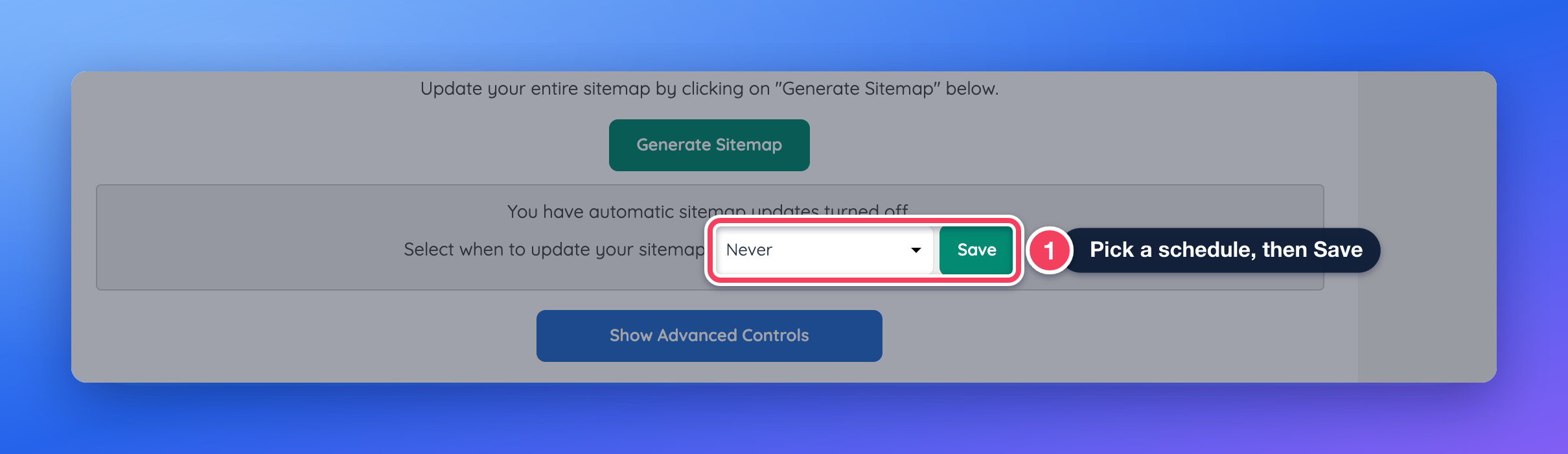
Scheduled sitemap updates. Fixed an issue that showed a success message without setting up the schedule when automatic sitemap updates were saved. The schedule now runs, the tool shows the right status, and a failed save says so. Learn more: Google Sitemap Generator
Pick a schedule, then Save.
My Content
Fixes for SVG uploads and the member category import.
Fixed
SVG uploads. Fixed an issue that rejected some valid SVG images with a server error in the Media Manager and in member post images. The upload error now also says why a file was refused. Learn more: My Content › Media Manager
Short names in the category import. Fixed an issue that caused the member category CSV import to skip sub-categories with one or two letter names, which moved the categories under them up a level. Learn more: How To Import Categories Via CSV File
Dashboard Overview
A fix for the Ready to Activate tab showing a start date of December 31, 1969.
Fixed
Ready to Activate dates. Fixed an issue that showed a start date of December 31, 1969 on the Ready to Activate tab for websites with no start date. Learn more: Account Dashboard: Activate Site
Interactions
A fix for the Lead Settings Edit buttons, which opened an empty form.
Fixed
Lead Settings Edit buttons. Fixed an issue that opened an empty form from the Edit buttons on Lead Settings. Lead actions and their email templates can be edited again. Learn more: Member Leads › Lead Settings › Form Settings
Widgets and templates updated
These default widgets and post type templates changed this week. A website that has customized one of them keeps its own version and does not receive the update. To pick up the change, copy it into the customized version, or remove the customization to go back to the updated default.
Bootstrap Theme - Account - Select Locations Bootstrap Theme - Function - Google Location Suggest
A county chosen as a location no longer fills the city field.
Bootstrap Theme - Detail Page - Schema Markup - Community Article Bootstrap Theme - Detail Page - Schema Markup - Event Post Type Bootstrap Theme - Detail Page - Schema Markup - Jobs Post Type Bootstrap Theme - Detail Page - Schema Markup - Product Post Type Bootstrap Theme - Detail Page - Schema Markup - Property Listing Post Type Bootstrap Theme - Detail Page - Schema Markup - Video Post Type Bootstrap Theme - Detail Page - Schema Markup - Website Blog Article Bootstrap Theme - Global Website - Schema Markup Bootstrap Theme - Member Profile - Contact Page Bootstrap Theme - Member Profile - Display Member Address Bootstrap Theme - Member Profile - Read Review Bootstrap Theme - Member Profile - Submit Review Bootstrap Theme - Member Results Bootstrap Theme - Single Post Page Bootstrap Theme - Static Web Page
Structured data uses the record’s real last-saved date for “date modified” instead of the first day of the month, leaves a date out rather than inventing one, and no longer includes a “last reviewed” date.
Bootstrap Theme Framework
The site-wide Custom CSS, the page’s CSS and the member’s CSS are each added in their own style block, so an error in one no longer breaks the others.
Search - Member - Search Query
Member searches run a faster query when no filter can repeat a member in the results.