An image or video on this page did not load. Reload the page; if it is still missing, a file may not have published yet.
Product Updates

Product Updates ·

General Settings gets the new admin design, invoices can be emailed from the Invoice Wizard, and new search settings protect sites from crawlers

Everything that reached Brilliant Directories websites this week, grouped by area of the software, followed by the default widgets and post type templates that changed.

1 new 6 improved 22 fixed 20 widgets updated

Settings

Two new search settings limit keyword results and can answer empty member searches with the 404 page, and Log In First by Default and the Domain Manager SSL tab work correctly again.

New

Option to serve the 404 page for empty member searches

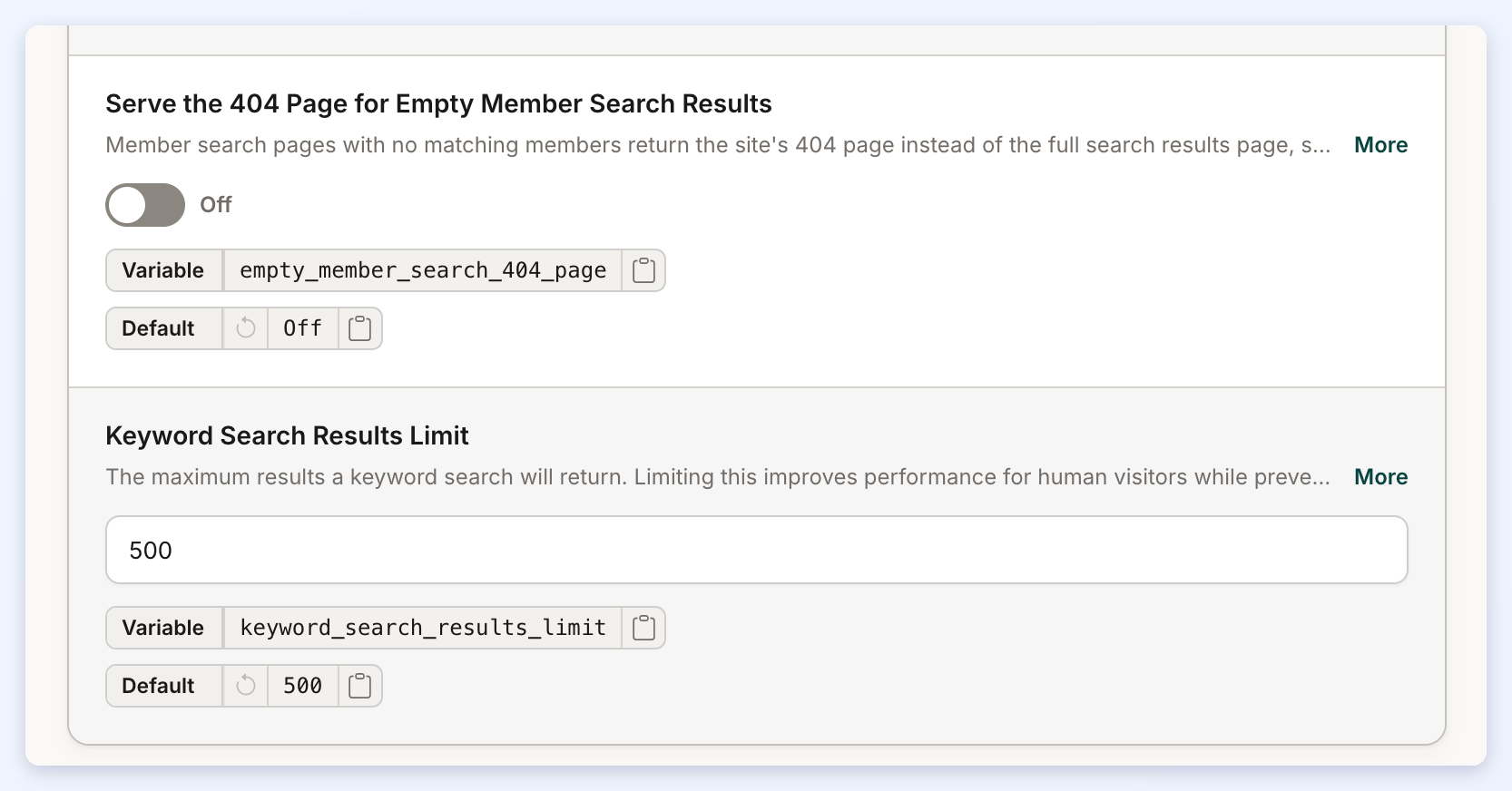
A new advanced setting lets a site answer empty member search pages with its small 404 page instead of the full results page, saving bandwidth when crawlers request many empty combinations.

Where: Settings > Advanced Settings > Search

Learn more: Settings › Advanced Settings

Advanced Settings search settings with the empty member search 404 option
The new Serve the 404 Page for Empty Member Search Results setting, off by default.
Improved

Keyword Search Results Limit setting

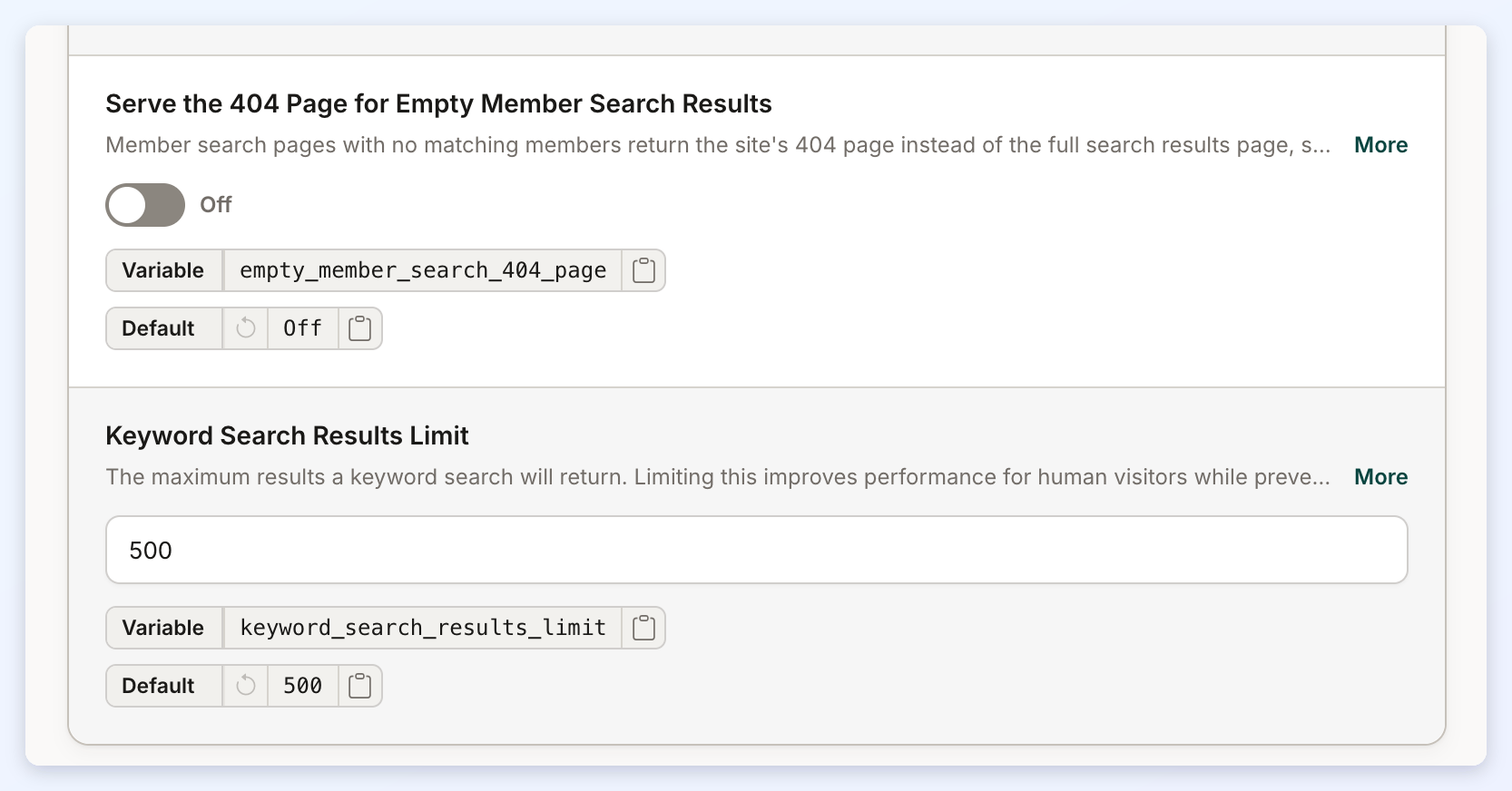
Keyword searches on posts and members now stop at a configurable limit (500 by default), pages past the limit show the site's 404 page, and keyword result pages are kept out of search engines.

Where: Advanced Settings > Search > Display

Widgets and templates: Bootstrap Theme - Pagination, Bootstrap Theme - HEAD, Bootstrap Theme - Tag Link, Bootstrap Theme - Post Results - Sorting Options, Bootstrap Theme - Member Results - Sorting Options

Learn more: Settings › Advanced Settings

Advanced Settings search settings with Keyword Search Results Limit
The Keyword Search Results Limit setting in Advanced Settings, 500 by default.

Fixed

  • Domain Manager SSL tab no longer wrongly reports a missing certificate. The SSL tab in Domain Manager now double-checks before saying no certificate is installed, and explains when a recently moved domain is still waiting for DNS to update. Learn more: Settings › Domain Manager › SSL
  • Log In First by Default works again for admins. Admins with several sites now land on the site they chose in Log In First by Default when they sign in.

The new admin design

General Settings gets the new admin design, with tabs, a side menu of sections and a phone layout, and the admin page for a missing address is redesigned.

Improved

New General Settings page with tabs and a side menu

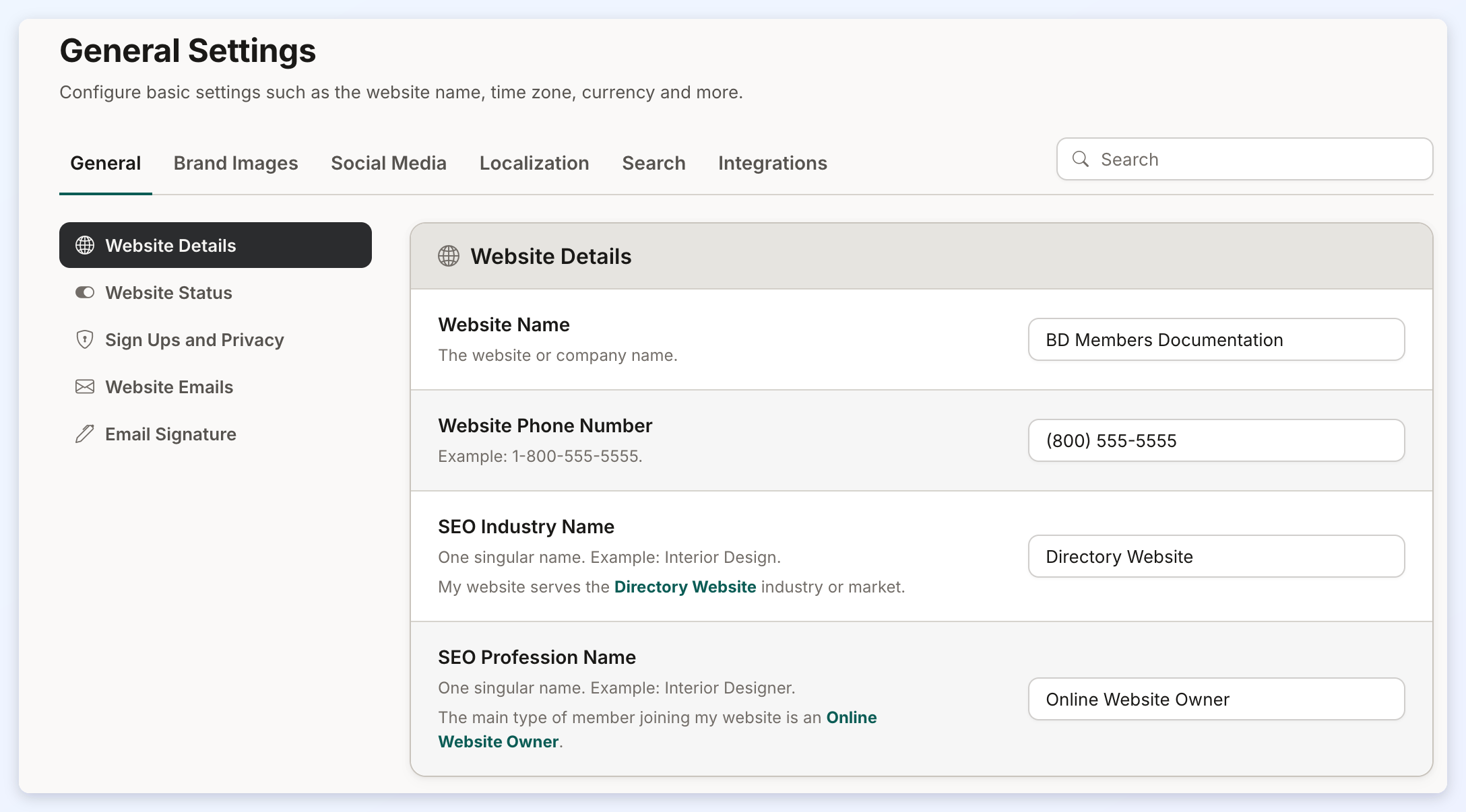
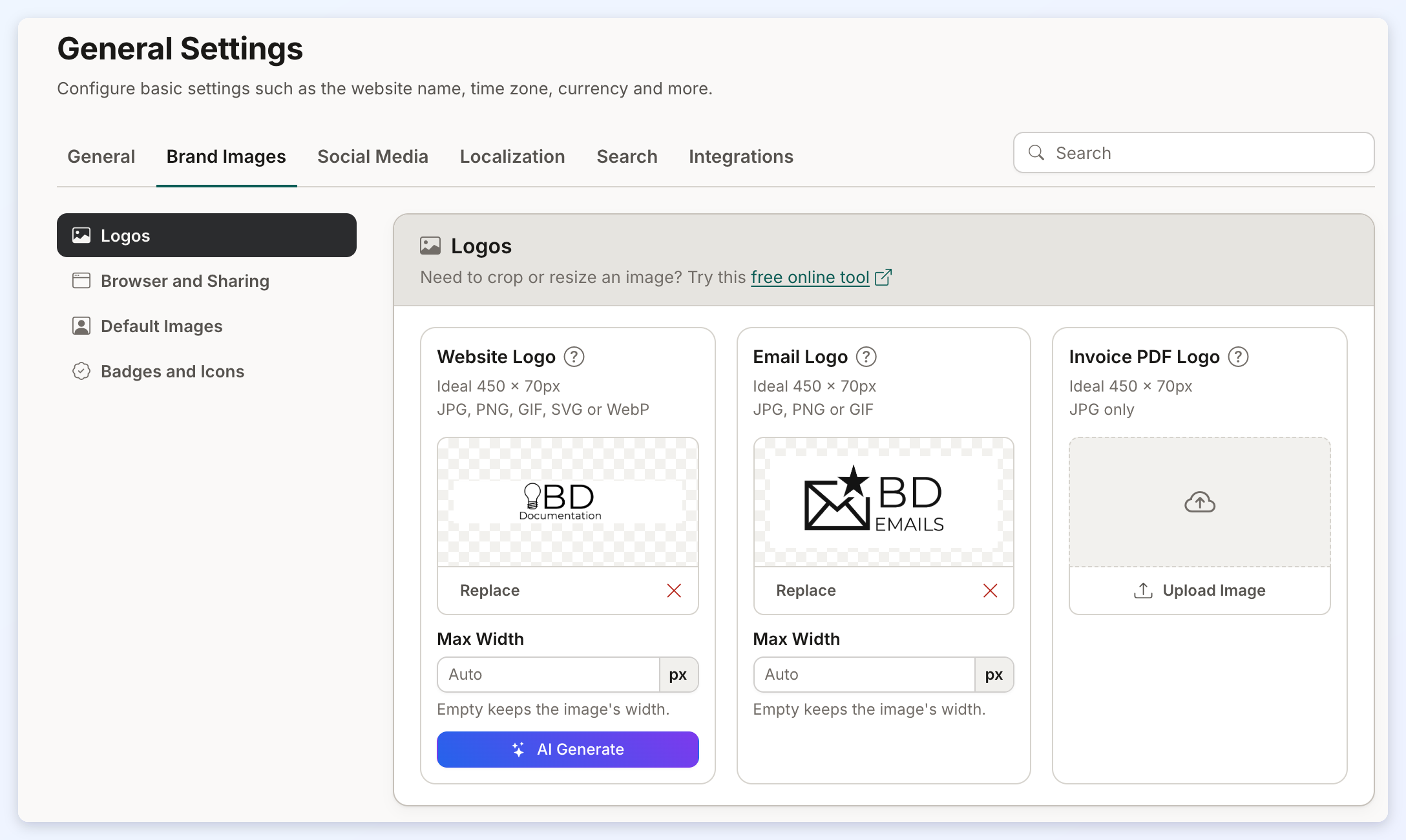
Settings > General Settings has a new look with tabs for General, Brand Images, Social Media, Localization, Search and Integrations, a side menu of sections, a phone layout, clearer labels, and the email logo can now be a JPG, PNG or GIF.

Where: Settings > General Settings (admin/viewWebsites.php)

Learn more: Settings › General Settings Tab · Settings › General Settings › Brand Images Tab · How To Add Your Social Media Profile Links To Your Brilliant Directories Website · Settings › General Settings › Localization · Settings › General Settings › Search Settings · Settings › General Settings › Integrations Tab

General Settings page with tabs and a side menu
The new General Settings page, with tabs, a side menu of sections and a search box.
Brand Images tab with logo cards
Logos shown as image cards on the Brand Images tab.
Improved

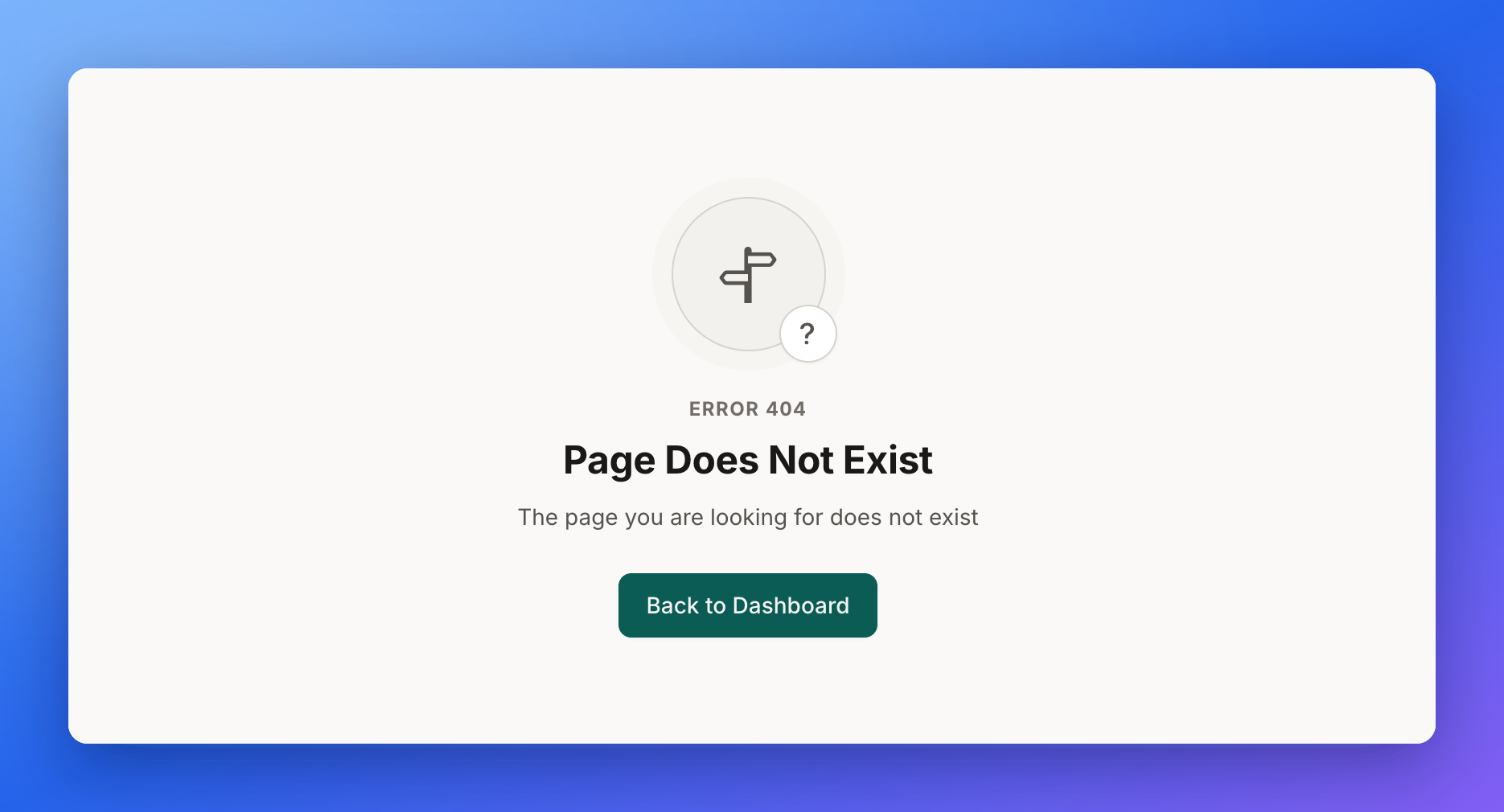
Redesigned admin 404 page

The admin page shown when a page does not exist has a new look that matches the redesigned admin, with the same message and a Back to Dashboard button.

Where: /admin/404.php

Admin Error 404 Page Does Not Exist with a Back to Dashboard button
The redesigned admin page for an address that does not exist.

Front End & Design

Location searches without a keyword are faster, the mobile sidebar setting works reliably, unaccented city addresses redirect, and event and tag searches are more exact.

Improved

Faster location searches without a keyword

Member searches by location without a keyword are now much faster on large directories, with the same results as before.

Where: Member search results pages

Fixed

  • Event date-range search includes the last day. Searching events by a date range now includes events that start on the last day of the range when the Recurring Events add-on is on.
  • Mobile sidebar position now works reliably. The Sidebar Position on Mobile Devices setting now works the same for every visitor, so Top and Hide are honored on phones even when the page comes from the cache. Widgets: Bootstrap Theme - Member Results, Bootstrap Theme - Single Post Page
  • Post tag links search the exact tag. Tags on post pages now open a search for exactly that tag, even when it contains characters like + or #, and search engines are told not to follow them. Widget: Bootstrap Theme - Single Post Page
  • Sidebar position on phones now works on Web Page Builder search pages. On a member search page built with Web Page Builder that has its own sidebar, the Sidebar Position on Mobile Devices choices Top and Hide now work on phones, including the page's own setting. Widgets: Bootstrap Theme - Member Results (ID 1361), Bootstrap Theme - Single Post Page (ID 1351)
  • Unaccented city addresses now redirect to the accented address. Addresses that spell a city without accents, such as /paraguay/asuncion/masajes, now redirect to the correct accented page instead of showing a 404. Learn more: 301 Redirects

Finance

Invoices can be emailed from the Invoice Wizard, the upgrade pop-up shows free trials, card errors at signup show a message, and the Subscriptions tab loads quickly.

Improved

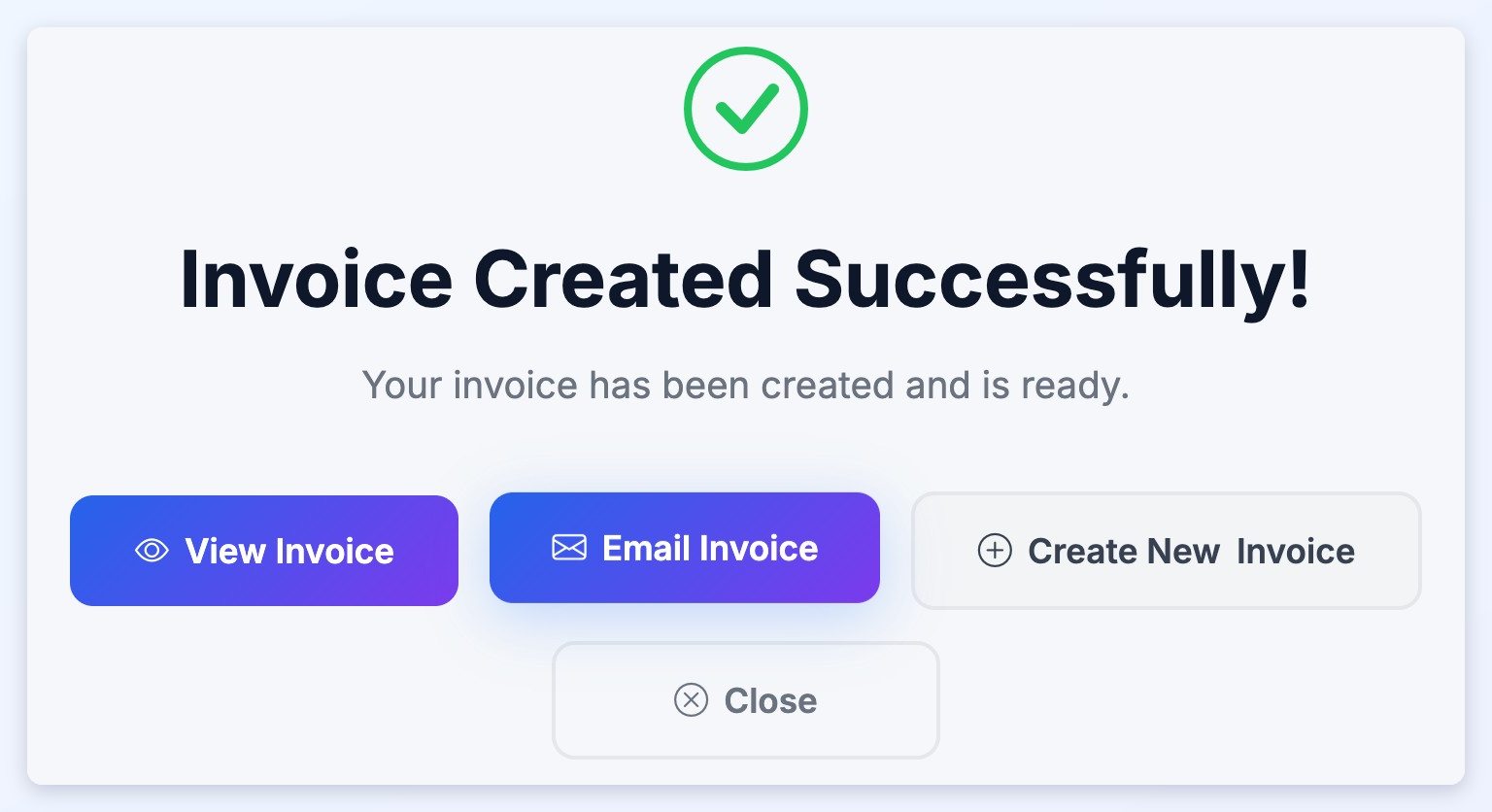
Email an invoice straight from the Invoice Wizard

After creating an invoice, admins can click Email Invoice to send it to the member, and New Order from a member's page now opens the wizard with that member already selected.

Where: Admin member page > Payments / Subscriptions > New Order; Quick Create > Create Invoice

Learn more: Quick Create Wizard - Create Invoice · Account Details Section For Members

Invoice Created Successfully with an Email Invoice button
The Invoice Wizard's last step with the new Email Invoice button.

Fixed

  • Card payment errors on signup no longer spin forever. If a step of the card payment fails during paid signup, the visitor now sees a clear error message they can close and retry, instead of a spinner that never ends.
  • Member Subscriptions tab no longer looks empty while it loads. The Subscriptions tab for members with a long billing history now loads in about a second instead of showing 'No Data' for several seconds.
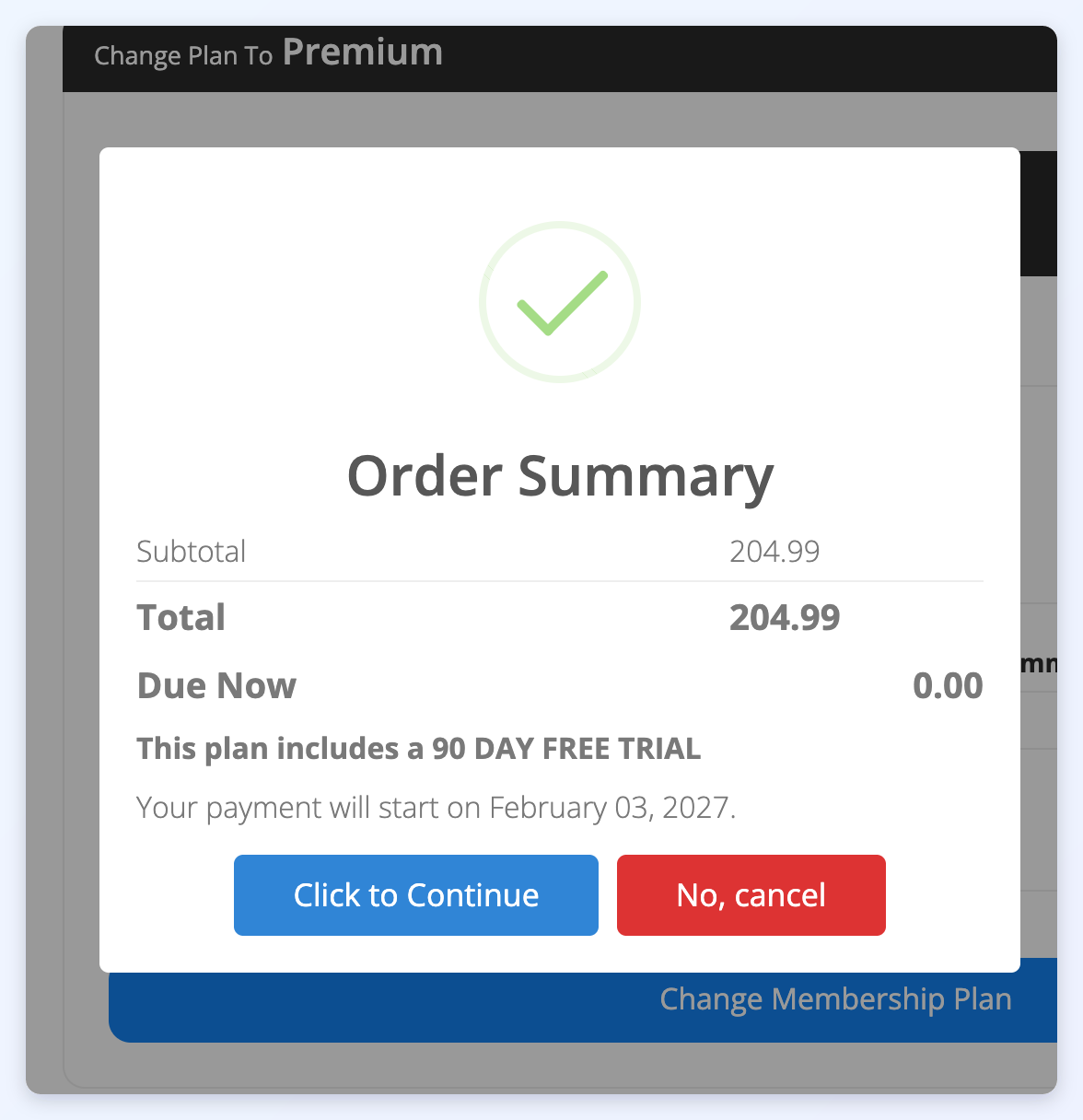
  • Upgrade pop-up now shows free trial and Due Now 0.00. When a member upgrades to a plan with a free trial, the confirmation pop-up now shows that nothing is due today, the trial length and the date the first payment starts. Learn more: Upgrades/Downgrades From Members Perspective
    Order Summary pop-up with Due Now 0.00 and a 90 day free trial
    The upgrade Order Summary for a plan with a free trial, showing Due Now 0.00.

Interactions

Chat, comment and lead settings get a cleaner layout, and the Member Leads list shows who each lead was sent to again.

Improved

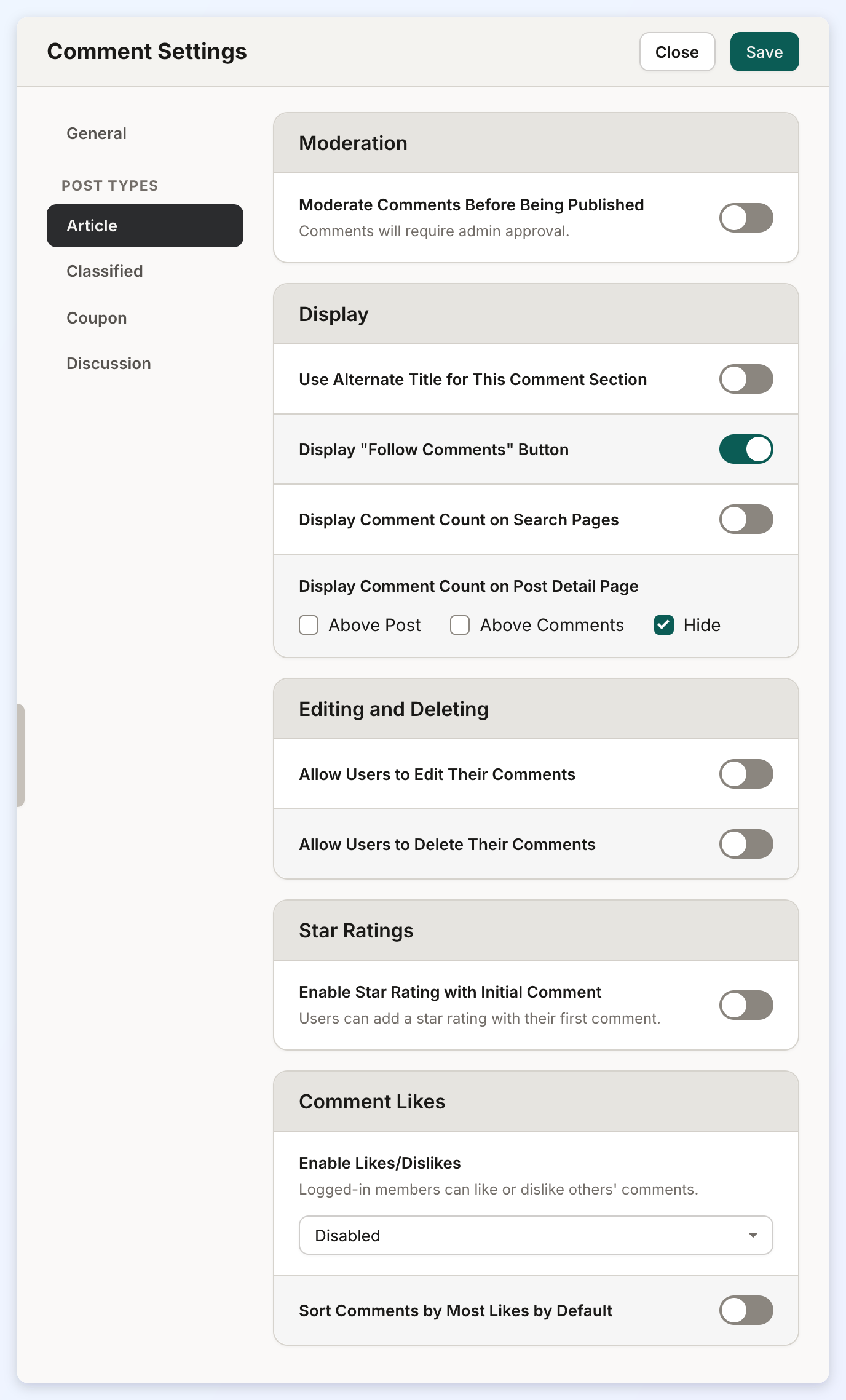
Chat, comment and lead settings get a cleaner layout

Private chat settings now live in a Chat Settings drawer on the Private Chats page, Comment Settings gained clearer controls for where the comment count and star rating appear, and settings screens line up better on phones.

Where: Interactions > Private Chats > Chat Settings; Interactions > Post Comments > Comment Settings; Interactions > Member Leads > Lead Settings

Learn more: How Does Auto-Matching Work? (Lead Settings › General) · Default Lead Action & Creating New Lead Actions · Lead Settings › Receiving Indirect Leads (Automatic Lead Matching) · Member Leads › Lead Settings › Direct Matches · Private Member Chat · Interactions › Private Chats · Community Comments · Star Ratings For Posts

Comment Settings for the Article post type
A post type's comment settings, grouped into sections with placement checkboxes.

Fixed

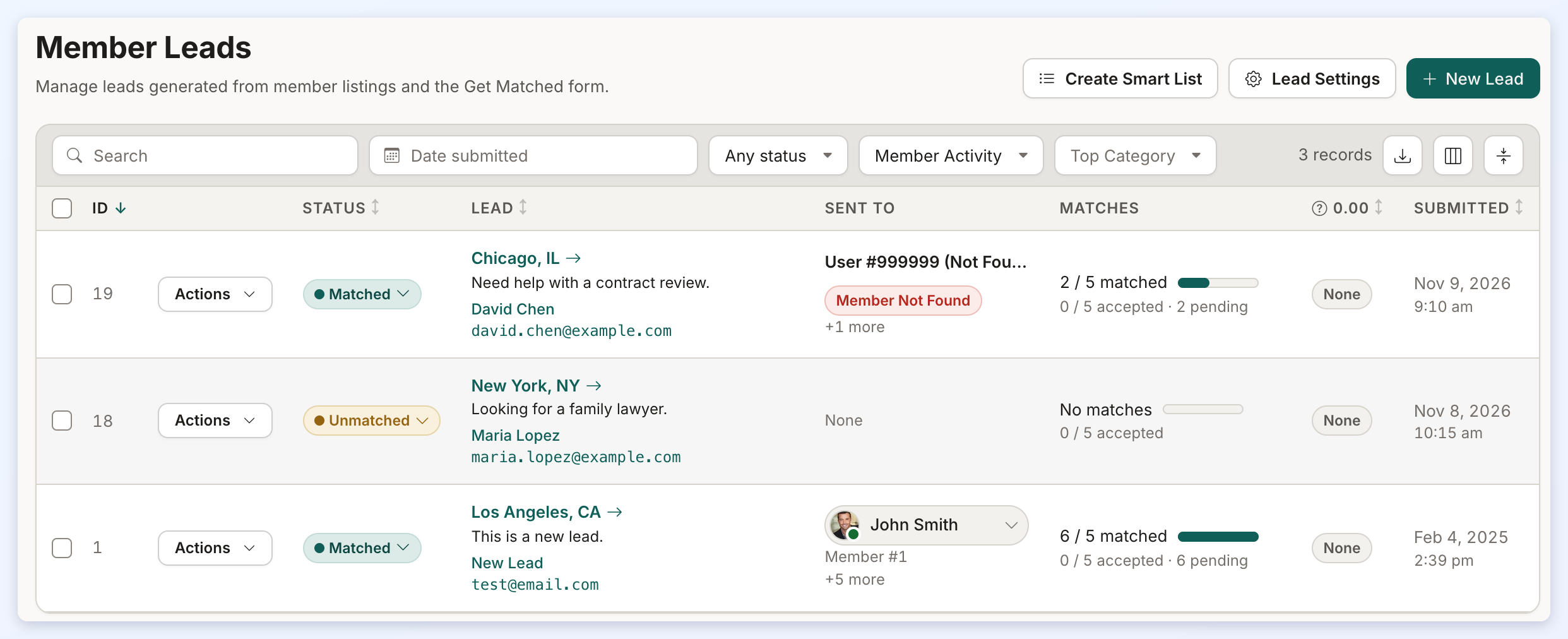
  • Member Leads list shows who each lead was sent to again. The Member Leads list has a Sent To column again, showing the first matched member, how many more were matched, and quick links to that member. Learn more: Interactions › Member Leads
    Member Leads list with the Sent To column
    The Member Leads list with the Sent To column.

Emails

Emails sent from the admin use the site's own template and widget shortcodes again, and regular admins can customize pre-made templates again.

Fixed

  • Admin-sent emails and Find Matches use the site's own customizations again. Emails sent from the admin now use the site's own email template, and Find Matches in Leads uses the site's own member search, on sites that customized them.
  • Admin-sent emails fill in a site's own widget shortcodes again. Emails sent from the admin area now show the content of a site's own widget shortcodes, such as a pending lead count, instead of leaving them blank.
  • Customizing pre-made email templates works for regular admins again. Regular admins can again customize and save a pre-made email template, even when the site has its own newsletter with the same ID number.

Developer Hub

The API accepts phone and text links as click URLs, and posts created through the API get their publish date in the site's own time zone.

Fixed

  • API accepts phone and text links as click URLs. The users clicked links API now accepts tel: and sms: links as the click URL, matching what the site's own click tracking already saves. Learn more: API Reference - Users Clicked Link
  • API-created posts use the site's time zone for the publish date. Posts created through the API without a publish date now get the current time in the site's own time zone, and the API returns the date with the site's time zone offset. Learn more: API Reference - Single Image Posts

My Content

The post form address box fills from the location search, and post CSV import accepts valid files again.

Fixed

  • Post CSV import no longer rejects valid CSV files. Importing posts from a CSV file no longer wrongly rejects valid CSV files, such as event files whose descriptions contain HTML.
  • Post form address box now fills from the location search. On post forms with the Google location field, the Complete Address box is now filled only by the location search, so every address is geocoded and location searches find the post; if Google location search is unavailable the box unlocks so an address can still be typed. Widget: Bootstrap Theme - Form - Member Google Location (ID 1620)

My Members

Logins work again on sites with a customized login form, and past due members see a simpler Close Account page.

Fixed

  • Close Account page no longer shows a past paid-through date to past due members. Members whose plan is Past Due no longer see a confusing past 'paid through' date on the Close Account page and are offered to close the account right away. Widget: Bootstrap Theme - Account - Delete Account
  • Members can log in again on sites with a customized login form. Sites that use a renamed copy of the member login form no longer refuse every login with an invalid-parameters message. Widget: Bootstrap Theme - Member Login Page

Dashboard Overview

Admins of white-labeled sites who are not the Owner no longer see Brilliant Directories items in the account lobby.

Fixed

  • White-labeled admin lobby no longer shows Brilliant Directories items. Admins of white-labeled sites no longer see Brilliant Directories buttons, panels, videos, support or billing pages, or its name in the password-changed email. Learn more: White Labeling Your Brilliant Directories Website

Platform & Servers

Admin table search boxes line up correctly.

Fixed

  • Admin table search boxes line up correctly. The search box above admin tables now keeps its magnifier icon inside the input instead of overlapping the label.

Widgets and templates updated

These default widgets and post type templates changed this week. A website that has customized one of them keeps its own version and does not receive the update. To pick up the change, copy it into the customized version, or remove the customization to go back to the updated default.

Learn more: How To Customize a Widget

Default widgets

WidgetWhat changed
Account - Save ActionsUnused createaccount step removed; deleteaccount requires a member session.
Account - Save Actions (ID 1813)Photo delete and reorder actions now require a signed-in member and are limited to that member's own rows.
Account - Save Actions DELETE THIS
Bootstrap Account - Save Actions
Bootstrap Theme - Account - Save Functions
Same change.
Account - Save Actions DELETE THIS (ID 1152)
Bootstrap Account - Save Actions (ID 1999)
Bootstrap Theme - Account - Save Functions (ID 1260)
Same ownership check on photo delete and reorder actions.
Bootstrap Theme - Account - Delete AccountPaid-through line and close-later option hidden for Past Due members or past due dates.
Bootstrap Theme - Form - Member Google Location (ID 1620)The post location box is read-only and filled only by the location search, and it unlocks when Google refuses the key or the suggestion request fails.
Bootstrap Theme - HEADAdds noindex, follow on keyword search pages.
Bootstrap Theme - Member Login Pageno longer refuses logins by posted form name; always applies the member_login reCAPTCHA
Bootstrap Theme - Member Resultsmobile sidebar Top and Hide decided by CSS classes instead of per-device server code
Bootstrap Theme - Member Results (ID 1361)Web Page Builder branch now applies the page's own Top or Hide choice and the Hide option, falling back to the post type value when the page value is Bottom or empty.
Bootstrap Theme - Member Results - Sorting Options
Bootstrap Theme - Post Results - Sorting Options
Result count shows N+ when the limit cut results.
Bootstrap Theme - PaginationStops keyword searches at the limit and flags pages past it for a 404.
Bootstrap Theme - Single Post Pagemobile sidebar Top and Hide decided by CSS classes instead of per-device server code; post results Hide keeps its results column wrapper Tag links get rel=nofollow, urlencoded href and escaped label.
Bootstrap Theme - Single Post Page (ID 1351)Search results branch applies the same page-level Top or Hide rule, reading the page's own setting.
Bootstrap Theme - Tag LinkTag links get rel=nofollow and an encoded href.